Our first pick is Pipedrive, best for straightforward pipeline-focused reporting. Listed starting prices: Tableau from $15 per user per month. Domo is better for governed data for sales insights, and Microsoft Dynamics 365 Sales is better for structured enterprise sales reporting. Prices, free plans and limits for all 6 tools follow.
If you are comparing dashboard software for sales teams, this page covers 6 tools in one place: what each is best for, what it costs to start, whether it has a free plan, and the main limit to know about.
Key takeaways
Pipedrive is the opening pick, best for straightforward pipeline-focused reporting.
Tableau stands alone as the one tool in this list with a free plan.
Before buying Pipedrive, weigh this: less depth for advanced analytics.
For the cheapest start, look at Tableau: $15 per user per month.
Looker Studio fits accessible shared sales reports.
Best for: Straightforward pipeline-focused reporting
Pipedrive is aimed squarely at straightforward pipeline-focused reporting. Teams with heavy customization needs should compare broader products. In practice, pick Pipedrive when pipeline visibility and straightforward sales dashboards are the priority.
What to check first: Less depth for advanced analytics.
In daily use, Pipedrive is a sales CRM centered on pipeline management, with dashboards that help teams track deals and monitor progress. On top of that, analytics depth is more restricted than dedicated business intelligence tools, so complicated cross-source reporting may need another product. Pipedrive does not show a starting price in this comparison, so check the vendor site for current pricing. Free access: Not stated.
Where Domo fits: governed data for sales insights. Domo is a data system that links and moves data from any source, prepares it for exploration and accelerates business-critical insights with AI and data products. Also, choose Domo when sales dashboards have to draw on organization-wide, well-managed data.
Points against: Needs data governance planning.
From a buyer's view, getting value relies on planning how data is connected and governed. As for the details, the product includes more than dashboards, so teams wanting a quick sales report may find it broader than necessary. Domo does not show a starting price in this comparison, so check the vendor site for current pricing. Free plan details: Free trial.
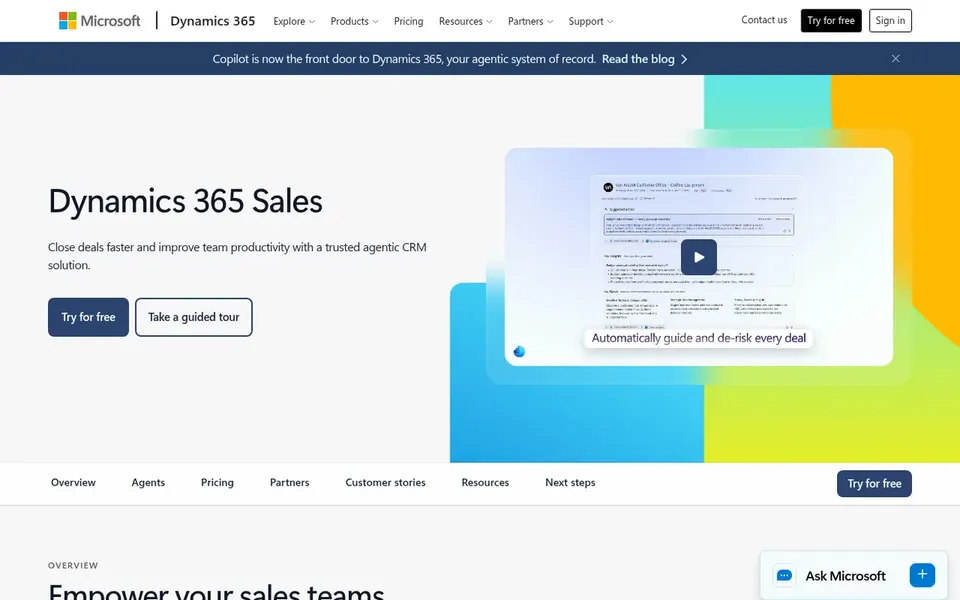
Microsoft Dynamics 365 Sales works best for structured enterprise sales reporting. Microsoft Dynamics 365 Sales is an agentic CRM targeted at helping teams close deals quicker through insights, sales automation and collaboration tools. Worth adding: pick Dynamics 365 Sales when reporting must scale with a formal, process-driven sales operation.
On top of that, dashboards and reporting sit within that broader sales workflow, which fits organizations that want forecasting, pipeline oversight and team collaboration connected to the same records. It tends to fit bigger or more structured sales organizations with defined processes and existing Microsoft tooling. Microsoft Dynamics 365 Sales shows no starting price here, so confirm the cost on the vendor site. Free plan details: Not stated.
Downsides: Best value inside the Microsoft ecosystem.
HubSpot Sales Hub is aimed squarely at dashboards on live CRM data. It suits sales organizations that want dashboards, pipeline views and deal tools in a single system without stitching separate reporting software on top.
Beyond that, organizations needing highly customized visual analytics across plenty of external sources may prefer a dedicated analytics tool alongside it. This comparison lists no price for HubSpot Sales Hub; ask the vendor. Free plan details: Not stated.
Watch-outs: Reporting depth grows with configuration.
Tableau is built with deep custom sales visualization in mind. Tableau is business intelligence and analytics software that lets users link to almost any database and build visualizations by dragging and dropping.
Where it is weaker: Needs analytics skills.
Starting cost for Tableau: $15 per user per month. A free plan is available with Tableau.
In short, Looker Studio is for accessible shared sales reports. Sales teams use it to assemble pipeline, revenue and activity data into shareable views, notably when stakeholders across departments need the same reporting.
Points against: Report design takes some learning.
It is a reporting layer instead of a sales system, so CRM functions and deal tracking come from other tools. Also, building refined, well-structured reports still takes some practice. No starting price is listed for Looker Studio here; confirm pricing on the vendor site. Trial and free access: Not stated.
Confirm the entry price on the vendor page. For Pipedrive, Domo, Microsoft Dynamics 365 Sales and others that means a quote rather than a fixed price.
Look at the free plan from Tableau closely: its caps decide whether it is usable for real work.
Run a trial of Domo with real work before paying for a year; your own workflow is the best test.
Before choosing Pipedrive, weigh its main limit: less depth for advanced analytics.
Read the plan comparison for Microsoft Dynamics 365 Sales carefully; key features often start on a higher tier.
Compare total cost, not headline price: for HubSpot Sales Hub, add extra seats, add-ons and any usage-based charges.
How we picked
For each of the 6 tools we noted price, free plan or trial, fit for dashboard software for sales teams and the main limit, using vendor pages and documentation. Treat prices as a snapshot: vendors change plans often, so check the vendor site for the figure that applies today. Position on the page reflects fit for a typical buyer first, with price clarity and free access breaking ties. Treat it as a guide, not a ruling.
Every price and plan detail on this page comes from the vendors’ own websites. We did not run hands-on tests unless the text says so, and we do not publish star ratings or review scores. See how we score and our disclosure.
Keep your shortlist in one place
Paste prices, trial dates and notes from this guide into Ainotely, our AI note app. It files them into a topic and pulls out tasks like “cancel trial by Friday”. Free 7-day trial, no card needed.
Often, yes. Tableau has a free plan and Domo offers a free trial. Use your own data and a real task during the test, and check what the free tier or trial limits before you rely on it. The 6 tool cards above repeat this per product for dashboard software for sales teams, with the listed price or "pricing on request".
Do these tools publish their prices?
Not all of them. Pipedrive, Domo, Microsoft Dynamics 365 Sales and others publish no starting price, so expect a quote request for those. The rest, Tableau included, show a starting price, though seats and billing terms still change the final cost.
What is the cheapest option for dashboard software for sales teams in this list?
On published monthly entry prices, Tableau is the lowest here at $15 per user per month. Entry price is only part of the cost, because seats, add-ons and billing terms can change the total. Each of the 6 options in this dashboard software for sales teams guide has its own card above with the price, free plan and limits.
What should a small sales team look for first?
Start with how rapidly the team can see pipeline status without additional setup, which favors pipeline-focused tools like Pipedrive. Confirm that dashboard views match your sales stages and that sharing reports with the team is straightforward.
Which options for dashboard software for sales teams have a free plan?
Tableau is the only tool in this list with a free plan. Free plans usually cap users, projects or features, so check the limits on the vendor page. One other tool offers a trial instead. All 6 picks in this dashboard software for sales teams comparison show their pricing, free plan details and main limits on the cards above.