Our first pick is Lansweeper, best for deep discovery of managed and unmanaged assets. Listed starting prices: NinjaOne from $1.50 per device a month. Alternatives: Freshservice for ITSM with asset context, and ManageEngine Endpoint Central for unified endpoint management and inventory. The other 3 tools in the list cover narrower or pricier cases.
Choosing device inventory management software usually comes down to price, fit and limits. This Ainotely guide sets 6 tools side by side on those three points, with the facts kept short and checkable.
Key takeaways
Top of the list is Lansweeper, which targets deep discovery of managed and unmanaged assets.
Lansweeper is the only tool of the 6 with a free plan.
The lowest published monthly entry price here is $1.50 per device per month, from NinjaOne.
Before buying Freshservice, weigh this: inventory is secondary to service management.
SolarWinds Network Performance Monitor is the one to check for Network visibility alongside device tracking.
Best for: Deep discovery of managed and unmanaged assets
Lansweeper is designed for deep discovery of managed and unmanaged assets. Coverage across OT and cloud also rewards upfront planning.
Limits to weigh: Breadth of coverage takes planning.
In practice, pick Lansweeper when unknown and unmanaged devices are the gap you most have to close. Pricing for Lansweeper is not stated here, so ask the vendor for current figures. Lansweeper offers a free plan.
What Lansweeper does well: OT and cloud environments.
Freshservice makes the most sense for ITSM with asset context. Device records fit into service management context, so hardware and software details can support tickets, changes and support decisions.
Its center of gravity is IT service management, so teams needing deep agentless discovery or in-depth asset lifecycle automation may pair it with a dedicated tool. Choose Freshservice when device records should support service delivery and everyday IT support work. Freshservice shows no starting price here, so confirm the cost on the vendor site. Free options: Not stated.
Drawbacks to consider: Inventory is secondary to service management.
Best for: Unified endpoint management and inventory
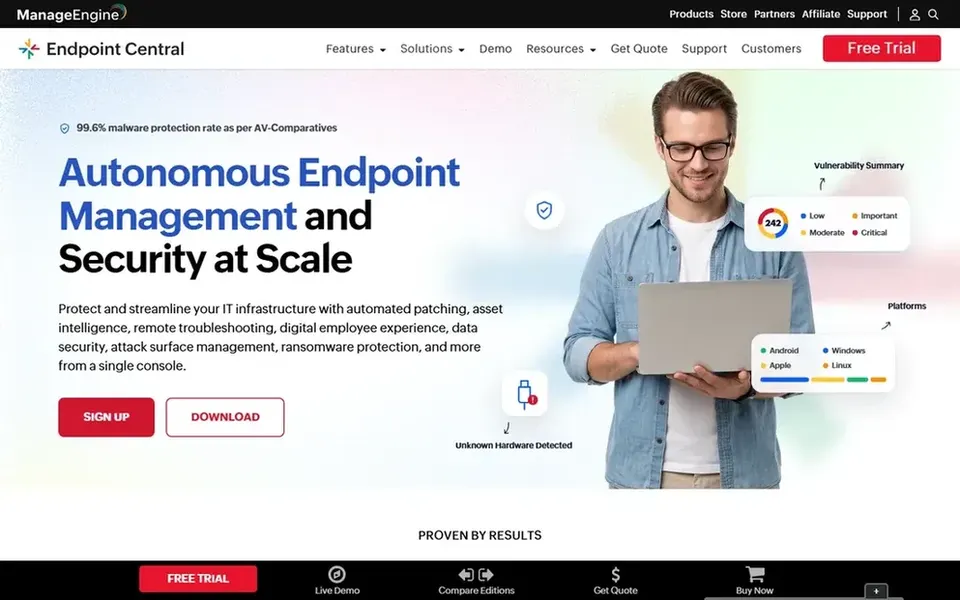
ManageEngine Endpoint Central makes the most sense for unified endpoint management and inventory. ManageEngine Endpoint Central is a unified endpoint management and security option built to run and secure servers, desktops, laptops and mobile devices centrally.
Where it falls short: Feature depth can need setup time.
More specifically, for device inventory, that means hardware and software details sit alongside the same console used for configuration and security work. Since it spans management and security, the product carries more configuration surface than a pure inventory scanner, so smaller teams may find it heavier than needed. Pricing for ManageEngine Endpoint Central is not stated here, so ask the vendor for current figures. Free plan details: Not stated.
Best for: Unified endpoint operations for IT teams and MSPs
NinjaOne serves unified endpoint operations for IT teams and MSPs. Device inventory suits naturally into that operations flow, since endpoints must be known before they can be patched or supported.
NinjaOne cost at the entry level: $1.50 per device per month. Trial and free access: Free trial.
The main drawbacks: May overlap with existing RMM tooling.
Best for: Remote monitoring and management at scale
Kaseya VSA works best for remote monitoring and management at scale. Kaseya VSA is presented as remote monitoring and management software, with the page referencing Datto RMM, to run more endpoints with less manual work through automatic monitoring, patching, remediation and remote support.
Watch-outs: RMM orientation instead of pure inventory.
In practice, the product is built around RMM workflows, so teams wanting a light standalone inventory list may find it more than necessary. Kaseya VSA shows no starting price here, so confirm the cost on the vendor site. As for free access: Not stated.
Best for: Network visibility alongside device tracking
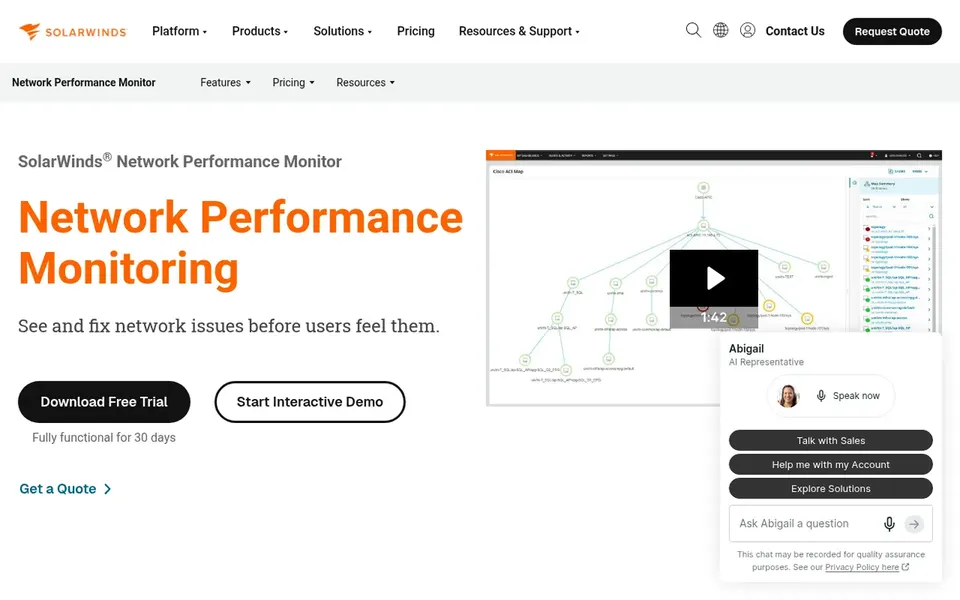
SolarWinds Network Performance Monitor is built with Network visibility alongside device tracking in mind. Devices appear in the context of how they link and perform, which helps teams that require inventory-grade awareness of networked equipment alongside monitoring.
Where it falls short: Network-centric instead of pure inventory.
This is a monitoring product first, so it does not replace a dedicated asset lifecycle or software inventory system. Choose it when network performance and connected device visibility are the core requirement. Pricing for SolarWinds Network Performance Monitor is not stated here, so ask the vendor for current figures. Trial and free access: Not stated.
Confirm the entry price on the vendor page. For Lansweeper, Freshservice, ManageEngine Endpoint Central and others that means a quote rather than a fixed price.
Look at the free plan from Lansweeper closely: its caps decide whether it is usable for real work.
Run a trial of NinjaOne with real work before paying for a year; your own workflow is the best test.
Read the limits listed for Lansweeper first: discovery focus may need pairing with lifecycle tools.
Check whether the features you need in Freshservice sit on the entry plan or only on higher tiers.
List the apps you already depend on and check that Lansweeper supports each one on the plan you would buy.
How we picked
Ainotely looked at what each vendor publishes: pricing, plan limits, feature coverage for device inventory management software and stated drawbacks. No hands-on testing is claimed. Figures are shown as the vendors publish them. Billing terms, seat minimums and add-ons can change the real cost. The ranking is editorial: typical fit first, then clear pricing, then free access. If your needs are unusual, read the profiles rather than relying on position.
Every price and plan detail on this page comes from the vendors’ own websites. We did not run hands-on tests unless the text says so, and we do not publish star ratings or review scores. See how we score and our disclosure.
Keep your shortlist in one place
Paste prices, trial dates and notes from this guide into Ainotely, our AI note app. It files them into a topic and pulls out tasks like “cancel trial by Friday”. Free 7-day trial, no card needed.
What should device inventory management software track?
At minimum it should record hardware details, installed software and device ownership or assignment. Numerous systems also track lifecycle status, cloud and OT assets, and changes over time.
What is the cheapest option for device inventory management software in this list?
On published monthly entry prices, NinjaOne is the lowest here at $1.50 per device per month. Entry price is only part of the cost, because seats, add-ons and billing terms can change the total. Pricing, free plan details and limits for all 6 tools in this device inventory management software roundup sit on the individual cards above.
Can I try these options before paying?
Often, yes. Lansweeper has a free plan and NinjaOne offers a free trial. Use your own data and a real task during the test, and check what the free tier or trial limits before you rely on it.
How are the tools for device inventory management software ordered?
The order follows typical fit for device inventory management software, with Lansweeper first and SolarWinds Network Performance Monitor last, then price clarity and free access. It is editorial judgement, not a score, so another team could rank the tools differently.
Which options for device inventory management software have a free plan?
Lansweeper is the only tool in this list with a free plan. Free plans usually cap users, projects or features, so check the limits on the vendor page. One other tool offers a trial instead. The 6 tool cards above repeat this per product for device inventory management software, with the listed price or "pricing on request".