Druva is the first pick on this list for managed cloud-native data protection. If your case is different, Barracuda Backup suits teams pairing backup with email security and AvePoint suits governance-focused Microsoft 365 environments. The other 2 tools in the list cover narrower or pricier cases.
Ainotely compared 5 email backup software for remote teams. The goal is a practical shortlist: published prices, free plan facts, best-fit use cases and honest limits for every entry.
Key takeaways
Druva is the opening pick, best for managed cloud-native data protection.
Spanning Backup for Microsoft 365 suits cloud-to-cloud SaaS mailbox backup.
A fair warning about Druva: system framing goes beyond email.
Druva, Spanning Backup for Microsoft 365 and the 3 others all sell by quote; expect sales conversations before you see a price.
Pick Druva if this describes you: managed cloud-native data protection. Druva describes an AI-powered, cloud-native SaaS product delivering data security, identity resilience, backup protection and quick ransomware recovery.
Remote teams without heavy infrastructure staff may appreciate the fully managed model, since the vendor operates the product and teams focus on policy and recovery instead of maintaining backup servers. Check the vendor site for Druva pricing; none is listed in this comparison. Trial and free access: Free trial.
Points against: Managed model may not suit every team.
Best for: Teams pairing backup with email security
Where Barracuda Backup fits: teams pairing backup with email security. Since Barracuda spans multiple security categories, the backup offering is one part of a larger story, and teams should confirm exactly which mail products and workloads are covered.
Beyond that, Barracuda Networks frames itself around email protection, application protection, network security and data protection. Barracuda Backup shows no starting price here, so confirm the cost on the vendor site. Free access: Free trial.
The main drawbacks: Backup is one piece of a bigger suite.
Best for: Governance-focused Microsoft 365 environments
For governance-focused Microsoft 365 environments, AvePoint is a natural candidate. AvePoint positions itself as the AI Trust Company, helping organizations govern and secure AI across data and agents with enterprise governance made for trust. Also, smaller teams seeking a straightforward mailbox backup service may find a dedicated backup vendor more direct.
In daily use, remote teams in regulated or fast-growing Microsoft 365 environments may encounter AvePoint as part of a broader data governance and protection strategy instead of as a pure email backup purchase. As for the details, since the homepage emphasizes AI governance, teams should verify how email backup and restore fit their specific requirements. Check the vendor site for AvePoint pricing; none is listed in this comparison. Trial and free access: Not stated.
What to check first: Enterprise orientation may not fit small teams.
Veeam Backup for Microsoft 365 is aimed squarely at wide data resilience portfolios. Veeam presents itself as a cyber resilient data product spanning AI and data challenges, with risk visibility, secure data movement and compliance in view.
As for the details, Veeam Backup for Microsoft 365 brings that portfolio thinking to mailbox protection, which fits remote teams inside organizations that already standardize on Veeam for other workloads and want consistent practices across data sources. Check the vendor site for Veeam Backup for Microsoft 365 pricing; none is listed in this comparison. Free options: Not stated.
Trade-offs to know: Broader product may be more than needed. Where it shines: Focus on secure.
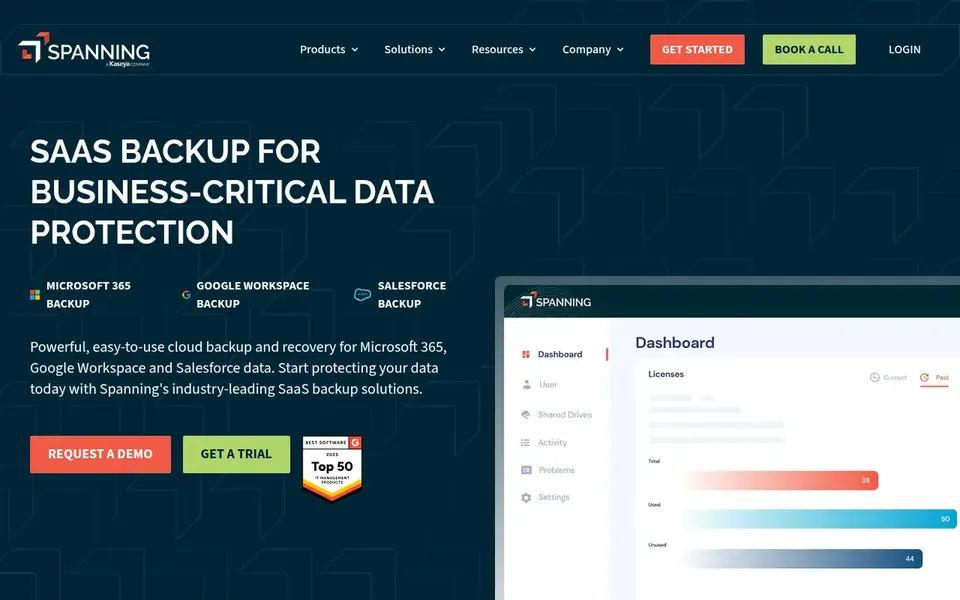
Spanning Backup for Microsoft 365 is a good fit for cloud-to-cloud SaaS mailbox backup. Spanning gives SaaS backup for Google Workspace, Microsoft 365 and Salesforce, positioning it as a cloud-to-cloud option for teams that live in hosted productivity suites. Automatic backup and recovery are central to the product, which fits remote teams that want mailbox and workspace data protected without running on-premises hardware.
As for the details, since Spanning concentrates on SaaS workloads, teams needing endpoint, server or hybrid infrastructure protection will likely pair it with another product. It is best chosen when cloud workspace backup is the priority and you want a dedicated, automatic service instead of a wide system. Pricing for Spanning Backup for Microsoft 365 is not stated here, so ask the vendor for current figures. Free access: Not stated.
Best features of Spanning Backup for Microsoft 365: Enterprise-class recovery focus.
Points against: Narrower than full infrastructure backup.
Request quotes from Druva, Spanning Backup for Microsoft 365 and the others; the list shows no fixed prices.
Use real work to test the free trial from Druva and Barracuda Backup, rather than a demo project.
Read the limits listed for Druva first: product framing goes beyond email.
Confirm that Veeam Backup for Microsoft 365 connects to the apps your team already uses, on the plan you would actually buy.
Add up seats, add-ons and usage charges for Barracuda Backup before comparing it with cheaper entries.
How we picked
Pricing pages, product documentation and feature lists were the main sources, and every entry carries at least one honest drawback. Treat prices as a snapshot: vendors change plans often, so check the vendor site for the figure that applies today. The order reflects how well each tool fits the most common buying scenario for email backup software for remote teams, then price clarity, then free plan access. It is a starting point, not a verdict.
Every price and plan detail on this page comes from the vendors’ own websites. We did not run hands-on tests unless the text says so, and we do not publish star ratings or review scores. See how we score and our disclosure.
Keep your shortlist in one place
Paste prices, trial dates and notes from this guide into Ainotely, our AI note app. It files them into a topic and pulls out tasks like “cancel trial by Friday”. Free 7-day trial, no card needed.
No. None of the tools, from Druva to Spanning Backup for Microsoft 365, shows a fixed starting price here, so budget time for quotes.
How does a managed cloud system change administration?
Completely managed services like Druva manage product operations for you, which helps teams without dedicated backup staff. Self-managed or narrower tools provide more direct control but need more internal effort.
Can I try these tools before paying?
Often, yes. Druva and Barracuda Backup offer a free trial. Use your own data and a real task during the test, and check what the free tier or trial limits before you rely on it.
Is Druva the right pick for everyone comparing email backup software for remote teams?
No single tool suits every team. Druva comes first because it fits managed cloud-native data protection, while Barracuda Backup suits teams pairing backup with email security and AvePoint suits governance-focused Microsoft 365 environments. Match the tool to your own size, budget and workflow before deciding.
Does any tool for email backup software for remote teams here have a free plan?
No tool in this list, Druva and Spanning Backup for Microsoft 365 included, has a permanent free plan. Druva, Barracuda Backup offer a trial. Trials and quotes are the usual route, so plan a short evaluation period.