If you need buyers wanting email security within a wide portfolio, Barracuda Email Protection is the first tool to look at here. Look at Microsoft 365 for Microsoft-centric organizations needing bundled protection, and at Google Workspace for teams wanting spam filtering inside productivity tools. The other 3 tools in the list cover narrower or pricier cases.
Choosing email for spam protection usually comes down to price, fit and limits. This Ainotely guide sets 6 tools side by side on those three points, with the facts kept short and checkable.
Key takeaways
Number one here is Barracuda Email Protection, a fit for buyers wanting email security within a wide portfolio.
No starting price is shown for any of the 6 tools, Barracuda Email Protection and Mimecast Email Security included, so plan time for sales calls.
Mimecast Email Security suits organizations wanting one product for email security.
Neither Barracuda Email Protection nor Mimecast Email Security, nor any of the other 4 tools, has a permanent free plan; trials and quotes are the norm.
Barracuda Email Protection comes with a trade-off: portfolio breadth can complicate selection.
Organizations wanting one product for email security
Adds another vendor to manage
The 6 picks in detail
BE
#1
Barracuda Email Protection
Best for: Buyers wanting email security within a wide portfolio
Barracuda Email Protection is designed for buyers wanting email security within a wide portfolio. The wide portfolio means buyers should scope carefully to the email capabilities they actually need.
It suits organizations that want a dedicated email security layer and value the choice to extend protection to other areas through the same vendor relationship. Barracuda Email Protection shows no starting price here, so confirm the cost on the vendor site. Free options: Free trial.
What to check first: Needs pairing with a mail product.
Best for: Microsoft-centric organizations needing bundled protection
Microsoft 365 works best for Microsoft-centric organizations needing bundled protection. It fits organizations already using Outlook and Microsoft collaboration tools, where centralized administration and consistent policy across users matter more than a standalone filter.
Points against: Best value primarily for Microsoft users.
From a buyer's view, if spam defense is the single priority, a dedicated email security service may offer more focused controls and reporting. Microsoft 365 shows no starting price here, so confirm the cost on the vendor site. On free options: Free trial.
Best for: Teams wanting spam filtering inside productivity tools
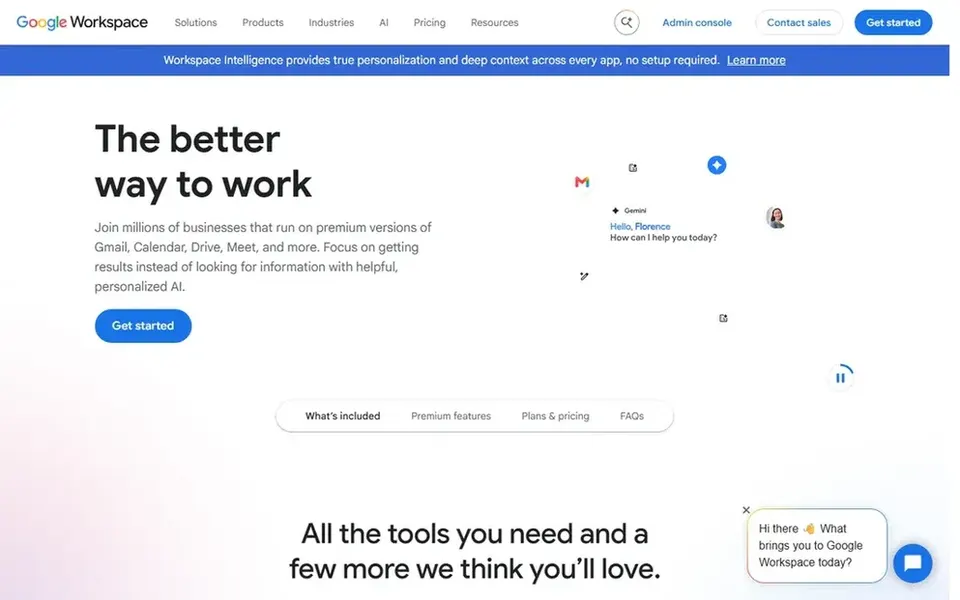
Google Workspace makes the most sense for teams wanting spam filtering inside productivity tools. Google Workspace is a suite of secure online productivity and collaboration tools that contains Gmail, which applies spam and phishing filtering by default.
What to check first: Less granular than dedicated security suites.
In daily use, choose a specialized provider instead if you need advanced threat investigation, custom policy layers, or protection across non-Google mail systems. Check the vendor site for Google Workspace pricing; none is listed in this comparison. On free options: Not stated.
Best for: Behavioral AI approach to email threat detection
Think of Abnormal Security for behavioral AI approach to email threat detection. Abnormal Security describes itself as a behavioral AI security system that guards email, identity and AI and stops insider threats.
Its behavioral approach is geared toward advanced threats, so buyers seeking entry-level bulk-spam filtering may find it more specialized than necessary. It also relies on integration with your current email provider rather than replacing it. Abnormal Security does not show a starting price in this comparison, so check the vendor site for current pricing. Free access: Not stated.
Drawbacks to consider: Specialized scope beyond entry-level spam.
Best for: Enterprises already invested in Cisco networking
Cisco Secure Email was built for enterprises already invested in Cisco networking. Cisco Secure Email is part of a wide technology portfolio the vendor describes as spanning AI infrastructure, secure networking and software options.
More specifically, since Cisco handles so numerous product areas, buyers should confirm the specific email protection capabilities and support terms that apply to their environment. Organizations outside Cisco ecosystems may find a dedicated email security vendor more straightforward to evaluate. Pricing for Cisco Secure Email is not stated here, so ask the vendor for current figures. Free access: Not stated.
The main drawbacks: Portfolio breadth can obscure email specifics.
Best for: Organizations wanting one product for email security
Think of Mimecast Email Security for organizations wanting one system for email security. It suits organizations that want a single security product layered over their existing mail system, especially where awareness and data governance matter alongside spam defense.
Where it is weaker: Product scope may exceed small-team needs.
Worth adding: the product approach can mean more configuration than a straightforward filter, and it works alongside instead of rather than a mail provider. This comparison lists no price for Mimecast Email Security; ask the vendor. As for free access: Not stated.
Confirm the entry price with every vendor: no tool from Barracuda Email Protection to Mimecast Email Security shows a fixed starting price.
Take the trial from Barracuda Email Protection and Microsoft 365 and push a live task through it before you pay.
Before choosing Barracuda Email Protection, weigh its main limit: portfolio breadth can complicate selection.
Read the plan comparison for Cisco Secure Email carefully; key features often start on a higher tier.
Verify that exporting from Microsoft 365 is possible on your plan and covers all your records.
How we picked
Selection started from tools commonly considered for email for spam protection, then narrowed to 6 that have clear pricing information or a clear quote process. Where a vendor does not publish a price, the entry says quote. Where a price depends on seats or billing term, the entry says so. The ranking is editorial: typical fit first, then clear pricing, then free access. If your needs are unusual, read the profiles rather than relying on position.
Every price and plan detail on this page comes from the vendors’ own websites. We did not run hands-on tests unless the text says so, and we do not publish star ratings or review scores. See how we score and our disclosure.
Keep your shortlist in one place
Paste prices, trial dates and notes from this guide into Ainotely, our AI note app. It files them into a topic and pulls out tasks like “cancel trial by Friday”. Free 7-day trial, no card needed.
Does any tool for email for spam protection here have a free plan?
No tool in this list, Barracuda Email Protection and Mimecast Email Security included, has a permanent free plan. Barracuda Email Protection, Microsoft 365 offer a trial. Trials and quotes are the usual route, so plan a short evaluation period.
Is Barracuda Email Protection the right pick for everyone comparing email for spam protection?
No single tool suits every team. Barracuda Email Protection comes first because it fits buyers wanting email security within a broad portfolio, while Microsoft 365 suits Microsoft-centric organizations needing bundled protection and Google Workspace suits teams wanting spam filtering inside productivity tools. Match the tool to your own size, budget and workflow before deciding.
Can I layer a security product over my existing email provider?
Most dedicated choices here, including Barracuda Email Protection and Abnormal Security, are meant to sit in front of or alongside an existing mail system. Confirm integration requirements and mail flow changes with the vendor before deployment.
How are the tools for email for spam protection ordered?
The order follows typical fit for email for spam protection, with Barracuda Email Protection first and Mimecast Email Security last, then price clarity and free access. It is editorial judgement, not a score, so another team could rank the tools differently.
Do these tools publish their prices?
No. None of the tools, from Barracuda Email Protection to Mimecast Email Security, shows a fixed starting price here, so budget time for quotes.