Start with Amazon Neptune if you need fully managed graph database on AWS. Listed starting prices: Neo4j from $0.09 per GB per hour. Memgraph is better for in-memory graph for live AI, and Neo4j is better for native graph processing and complex queries. All 6 tools are compared below on price, free plan and limits.
If you are comparing graph database for complex datasets, this page covers 6 tools in one place: what each is best for, what it costs to start, whether it has a free plan, and the main limit to know about.
Key takeaways
Number one here is Amazon Neptune, a fit for completely managed graph database on AWS.
Expect to ask for a quote from Amazon Neptune, Memgraph, Microsoft Azure Cosmos DB and others; the other tools show a starting price.
For multi-model with graph and document, ArangoDB is worth a look.
The main caution on Microsoft Azure Cosmos DB: graph API may lack advanced graph features.
Only 3 of the 6 tools have a free plan (Amazon Neptune, Neo4j, ArangoDB), so check the caps.
Best for: Completely managed graph database on AWS
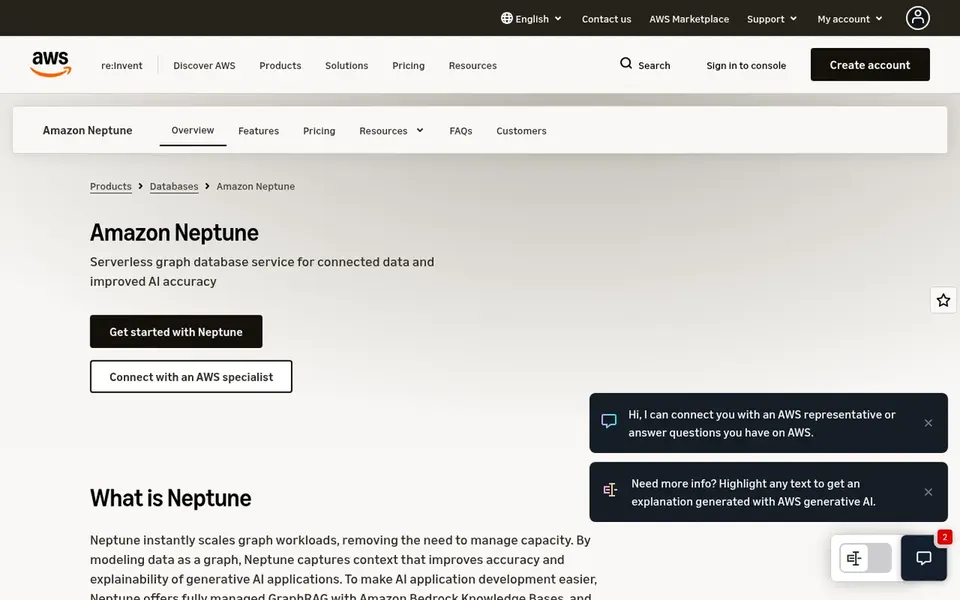
Amazon Neptune is built with completely managed graph database on AWS in mind. Amazon Neptune is a completely managed graph database service on AWS aimed at graph use cases like identity graphs, knowledge graphs, and fraud detection. It supports both property graph and RDF models, making it versatile for different graph workloads, and plugs into other AWS services for a smooth cloud experience.
Where it falls short: Restricted to AWS cloud.
Beyond that, consider alternatives if you need portability or extreme real-time analytics. Neptune is tightly coupled with AWS, so it may not suit organizations with multi-cloud or on-premises requirements. Its query performance can be less predictable for highly complicated analytical queries compared with specialized in-memory engines. Check the vendor site for Amazon Neptune pricing; none is listed in this comparison. Amazon Neptune includes a free tier.
Choose Memgraph for in-memory graph for real-time AI. Memgraph is an in-memory graph database engine optimized for live analytics, GraphRAG, AI memory, and fraud detection.
Since it is in-memory, Memgraph's dataset size is restricted by available RAM, which may not suit very large graphs that need disk-based storage. Memgraph does not show a starting price in this comparison, so check the vendor site for current pricing. Trial and free access: Free trial.
The main drawbacks: Less suited for disk-based storage.
Best for: Native graph processing and complicated queries
Neo4j is built with native graph processing and complicated queries in mind. Neo4j is a graph data system that keeps data as connected nodes and relationships, enabling feature-rich and complicated queries at scale. It is well-suited for organizations that require to model and traverse highly connected datasets, like knowledge graphs or recommendation engines, and need a mature, native graph option.
Trade-offs to know: Resource-intensive for large-scale deployments.
Even so, Neo4j can be resource-intensive and may need significant tuning for very large graphs. Its query language, whereas expressive, has a ramp-up time. For more straightforward graph needs or multi-model requirements, other choices might be more appropriate. Starting cost for Neo4j: $0.09 per GB per hour. Neo4j offers a free plan.
Best for: Globally distributed multi-model database
Microsoft Azure Cosmos DB makes the most sense for globally distributed multi-model database. It offers high availability, scalability, and low latency for modern applications, making it a solid fit for globally distributed systems that require to incorporate graph capabilities alongside other data models.
Where it is weaker: Graph API may lack advanced graph features.
Its pricing can be intricate, and the graph API might not handle all advanced graph analytics needs. No starting price is listed for Microsoft Azure Cosmos DB here; confirm pricing on the vendor site. On free options: Not stated.
Think of Dgraph for open-source graph at terabyte scale. Dgraph is an open-source, complete graph database built to manage terabyte-scale datasets for live use cases. Dgraph has a smaller community and ecosystem compared with more established graph databases, which can mean fewer learning resources and external tools.
Where it falls short: Smaller community and ecosystem.
Self-hosting layers on operational overhead. If you need broad community support or a completely managed service, consider alternatives. Check the vendor site for Dgraph pricing; none is listed in this comparison. Trial and free access: Not stated.
Where ArangoDB fits: multi-model with graph and document. Choose a dedicated graph database if pure graph performance is critical. Worth adding: ArangoDB is a multi-model database that natively integrates graph, document, and key-value data, offering unified context for AI agents and applications.
It is a strong match for projects that need adaptability in data modeling and want to avoid managing several database systems, particularly when graph relationships are important but not the sole focus. As for the details, the ecosystem and community are smaller, which can affect learning resources and third-party integrations. From a buyer's view, Whereas ArangoDB deals with graph workloads well, its performance for highly complicated graph traversals may not match specialized native graph databases. ArangoDB shows no starting price here, so confirm the cost on the vendor site. ArangoDB includes a free tier.
Drawbacks to consider: Smaller ecosystem compared with leaders.
Confirm the entry price on the vendor page. For Amazon Neptune, Memgraph, Microsoft Azure Cosmos DB and others that means a quote rather than a fixed price.
Check what the free option really includes: Amazon Neptune, Neo4j and ArangoDB offer a free plan, and usage caps differ.
Take the trial from Memgraph and push a live task through it before you pay.
Read the limits listed for Amazon Neptune first: restricted to AWS cloud.
Check whether the features you need in Memgraph sit on the entry plan or only on higher tiers.
Involve the people who will use Neo4j daily; a short pilot beats a long feature checklist.
How we picked
The comparison looks at four things: starting price, free access, how well the feature set matches graph database for complex datasets, and the main limit of each tool. Where a vendor does not publish a price, the entry says quote. Where a price depends on seats or billing term, the entry says so. Tools are placed by general fit for graph database for complex datasets, with price clarity and free access as tie-breakers. A different team can reasonably rank them differently.
Every price and plan detail on this page comes from the vendors’ own websites. We did not run hands-on tests unless the text says so, and we do not publish star ratings or review scores. See how we score and our disclosure.
Keep your shortlist in one place
Paste prices, trial dates and notes from this guide into Ainotely, our AI note app. It files them into a topic and pulls out tasks like “cancel trial by Friday”. Free 7-day trial, no card needed.
Is open-source Dgraph a decent choice for enterprise-scale graph applications?
Dgraph is designed for terabyte-scale data and live use cases, making it a viable open-source choice for enterprises. That said, consider the operational overhead of self-hosting and the smaller community compared with commercial alternatives.
Can I try these tools before paying?
Often, yes. Amazon Neptune, Neo4j and ArangoDB have a free plan and Memgraph offers a free trial. Use your own data and a real task during the test, and check what the free tier or trial limits before you rely on it.
Is Amazon Neptune the right pick for everyone comparing graph database for complex datasets?
No single tool suits every team. Amazon Neptune comes first because it fits fully managed graph database on AWS, while Memgraph suits in-memory graph for real-time AI and Neo4j suits native graph processing and complex queries. Match the tool to your own size, budget and workflow before deciding.
How are the tools for graph database for complex datasets ordered?
The order follows typical fit for graph database for complex datasets, with Amazon Neptune first and ArangoDB last, then price clarity and free access. It is editorial judgement, not a score, so another team could rank the tools differently.
What makes a graph database a good match for complicated datasets?
A graph database suited for complicated datasets should efficiently deal with highly connected data with deep traversals, offer capable query languages, and scale horizontally.
Which options for graph database for complex datasets have a free plan?
Amazon Neptune, Neo4j and ArangoDB offer a free plan in this list. Free plans usually cap users, projects or features, so check the limits on the vendor page. One other tool offers a trial instead.