Guru is the first pick on this list for governed knowledge behind enterprise AI. Listed starting prices: KnowledgeOwl from $100 a month. For a different need, KnowledgeOwl covers simple sharing with customers and staff and Freshdesk covers omnichannel support with automatic workflows. The other 3 tools in the list cover narrower or pricier cases.
Choosing knowledge base software for troubleshooting usually comes down to price, fit and limits. This Ainotely guide sets 6 tools side by side on those three points, with the facts kept short and checkable.
Key takeaways
Number one here is Guru, a fit for governed knowledge behind enterprise AI.
Neither Guru nor Helpjuice, nor any of the other 4 tools, has a permanent free plan; trials and quotes are the norm.
Helpjuice is the one to check for straightforward knowledge base for support.
The lowest published monthly entry price here is $100 per month, from KnowledgeOwl.
Guru targets governed knowledge behind enterprise AI. Guru describes itself as a governed knowledge layer for enterprise AI, built so companies do not run on confidently wrong AI. It structures, governs and continuously boosts knowledge so every AI answer can be trusted.
That makes it relevant for troubleshooting where accuracy matters and where answers are surfaced through AI assistants instead of only through article pages. From a buyer's view, the emphasis on governance means someone must own verification and review routines for it to pay off. Its enterprise framing may be heavier than a small team needs. If you primarily want to publish a public help site rapidly, a more straightforward knowledge base product is likely a better fit. Pricing for Guru is not stated here, so ask the vendor for current figures. Free access: Not stated.
Downsides: Governance work needs continuing effort.
Choose KnowledgeOwl for simple sharing with customers and staff. If you need knowledge governed inside an enterprise AI layer, a specialized product is the better match. KnowledgeOwl gives you simple to use software to share information rapidly with customers and staff.
That dual audience makes it a practical fit for troubleshooting content that needs to serve both external readers and internal teams, particularly where simplicity and quick publishing matter more than a large feature set. For everyday use, content quality and organization remain the team's responsibility. KnowledgeOwl pricing: $100 per month. As for free access: Free trial.
Where it shines: Shares information with customers.
Limits to weigh: Fewer advanced AI claims on page.
Best for: Omnichannel support with automatic workflows
Freshdesk serves omnichannel support with automatic workflows. For troubleshooting, that means support articles and agent answers can live alongside the ticket queue, so recurring issues can be documented and reused across channels instead of handled one conversation at a time.
Watch-outs: Knowledge features sit within a service suite.
It also rewards teams willing to configure workflows. Freshdesk does not show a starting price in this comparison, so check the vendor site for current pricing. Free access: Not stated.
Best for: Internal team knowledge and collaboration
Choose Confluence for internal team knowledge and collaboration. It is a collaboration workspace instead of a customer support help center, so public-facing troubleshooting may need a different front end.
No starting price is listed for Confluence here; confirm pricing on the vendor site. As for free access: Not stated.
Points against: Can sprawl without page structure.
Best for: Support teams with AI-assisted self-service
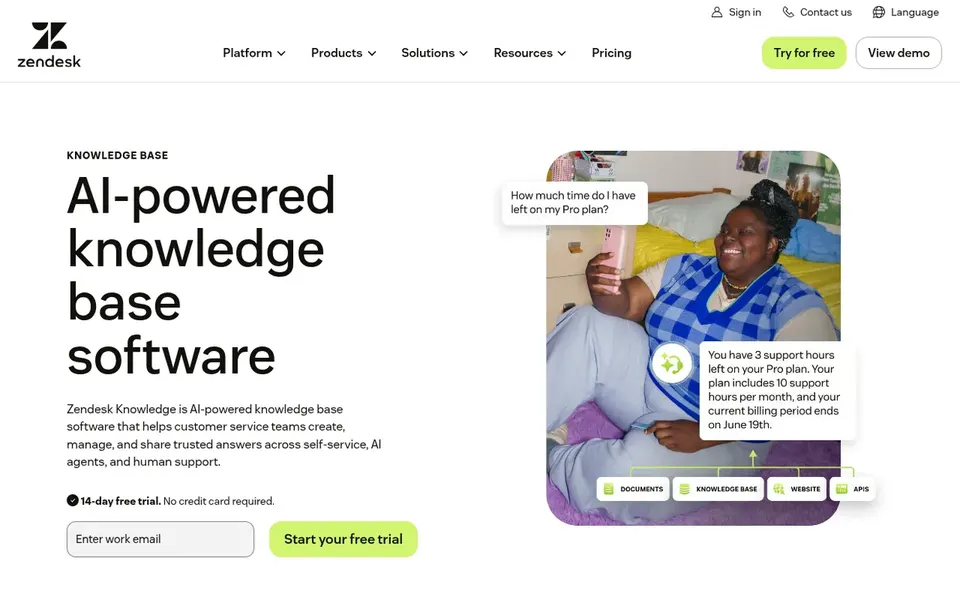
Zendesk Guide makes the most sense for support teams with AI-assisted self-service. Zendesk Guide is knowledge base software targeted at customer service. In practice, since it is positioned around customer service, teams seeking a general internal wiki may find it narrower than a collaboration workspace.
Where it is weaker: Setup relies on your content quality.
For everyday use, the value relies on keeping content accurate and well organized. From a buyer's view, if your priority is internal project documentation instead of customer-facing troubleshooting, a team workspace tool may be a better match. Check the vendor site for Zendesk Guide pricing; none is listed in this comparison. Free plan details: Not stated.
Best for: Straightforward knowledge base for support
In short, Helpjuice is for straightforward knowledge base for support. Helpjuice is knowledge base software positioned to simplify support and boost productivity for the teams that use it. From a buyer's view, the homepage emphasizes support productivity instead of deep AI governance.
The main drawbacks: Best value relies on content discipline.
So teams wanting advanced answer control may need to look elsewhere. On top of that, success still relies on writing and maintaining clear articles. This comparison lists no price for Helpjuice; ask the vendor. Free access: Free trial.
Ask Guru, Freshdesk, Confluence and others for a written quote, since no starting price is shown.
Use real work to test the free trial from KnowledgeOwl and Helpjuice, rather than a demo project.
Before choosing Guru, weigh its main limit: enterprise-oriented positioning.
Before you load data into Zendesk Guide, check what an export looks like and who can run it.
Involve the people who will use KnowledgeOwl daily; a short pilot beats a long feature checklist.
How we picked
Selection started from tools commonly considered for knowledge base software for troubleshooting, then narrowed to 6 that have clear pricing information or a clear quote process. Where a vendor does not publish a price, the entry says quote. Where a price depends on seats or billing term, the entry says so. Order on the page follows fit for the typical buyer first, then price transparency and free access. Your own requirements should decide the final pick.
Every price and plan detail on this page comes from the vendors’ own websites. We did not run hands-on tests unless the text says so, and we do not publish star ratings or review scores. See how we score and our disclosure.
Keep your shortlist in one place
Paste prices, trial dates and notes from this guide into Ainotely, our AI note app. It files them into a topic and pulls out tasks like “cancel trial by Friday”. Free 7-day trial, no card needed.
Often, yes. KnowledgeOwl and Helpjuice offer a free trial. Use your own data and a real task during the test, and check what the free tier or trial limits before you rely on it. Each of the 6 options in this knowledge base software for Troubleshooting guide has its own card above with the price, free plan and limits.
Does any tool for knowledge base software for troubleshooting here have a free plan?
No tool in this list, Guru and Helpjuice included, has a permanent free plan. KnowledgeOwl, Helpjuice offer a trial. Trials and quotes are the usual route, so plan a short evaluation period.
What is the cheapest option for knowledge base software for troubleshooting in this list?
On published monthly entry prices, KnowledgeOwl is the lowest here at $100 per month. Entry price is only part of the cost, because seats, add-ons and billing terms can change the total. All 6 picks in this knowledge base software for Troubleshooting comparison show their pricing, free plan details and main limits on the cards above.
What makes knowledge base software well suited to troubleshooting?
Decent troubleshooting software keeps answers simple to find, simple to update and consistent across agents and customers. On top of that, look for capable search, clear content structure and a way to review accuracy, notably if AI is generating answers from your articles.
Do these tools publish their prices?
Not all of them. Guru, Freshdesk, Confluence and others publish no starting price, so expect a quote request for those. The rest, KnowledgeOwl included, show a starting price, though seats and billing terms still change the final cost.