NiceLabel is the first pick on this list for barcode label design and printing. For a different need, Kallik covers regulated labeling and artwork compliance and InDesign covers creative layout and artwork production. The other 2 tools in the list cover narrower or pricier cases.
This Ainotely guide covers 5 options for label and artwork management software for enterprise. Each profile lists a starting price, free plan details, strengths and drawbacks, so you can drop poor fits quickly.
Key takeaways
Number one here is NiceLabel, a fit for barcode label design and printing.
Bartender fits labeling and tracking across operations.
Neither NiceLabel nor Bartender, nor any of the other 3 tools, has a permanent free plan; trials and quotes are the norm.
One limit worth knowing about Kallik: narrower fit outside regulated sectors.
Choose NiceLabel for barcode label design and printing. NiceLabel is widely known as barcode labeling software, and Loftware's product materials group it with artwork management and diverse labeling options.
It is a practical fit for enterprises that require standardized label design and printing across sites and partners. NiceLabel does not show a starting price in this comparison, so check the vendor site for current pricing. Free options: Not stated.
Best for: Regulated labeling and artwork compliance
Where Kallik fits: regulated labeling and artwork compliance. Kallik gives you end-to-end labeling and artwork management software delivered in the cloud, pitched at regulated industries. Its stated focus is simplifying labeling and artwork processes, supporting compliance and reducing reworks.
Beyond that, since it is tuned for regulated environments, organizations without heavy compliance demands may find it more structure than they need. Also, consider it when compliance review and rework reduction are central; otherwise a lighter labeling or content system may be more straightforward. Check the vendor site for Kallik pricing; none is listed in this comparison. Free access: Not stated.
Points against: Narrower fit outside regulated sectors.
Choose InDesign for creative layout and artwork production. It suits design teams that require precise control over typography and composition before files move into a management or approval system.
Drawbacks to consider: No built-in approval workflow.
No starting price is listed for InDesign here; confirm pricing on the vendor site. Trial and free access: Not stated.
Best for: Packaging artwork and go-to-market workflows
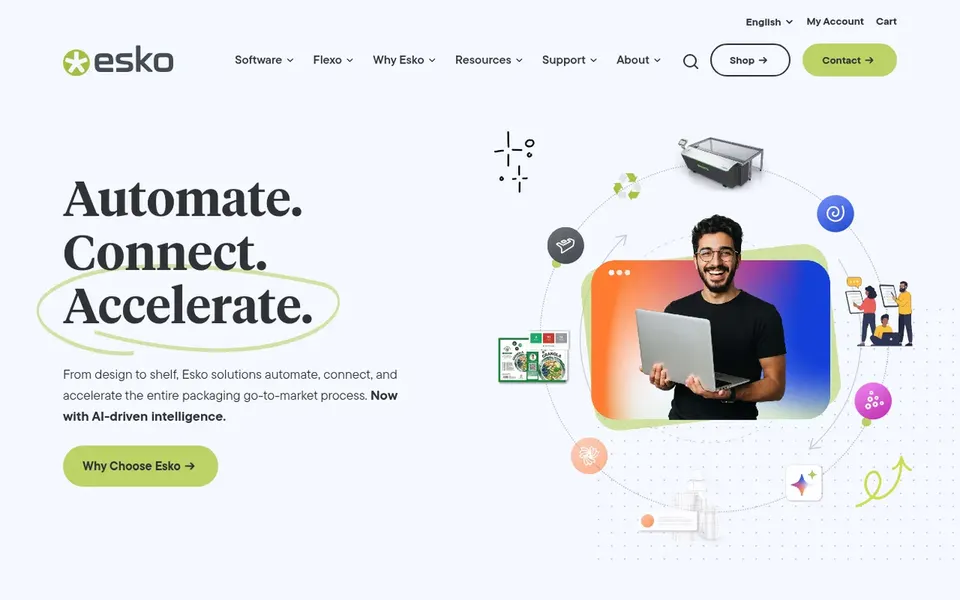
Esko WebCenter makes the most sense for packaging artwork and go-to-market workflows. Esko WebCenter sits within Esko's packaging portfolio, which is targeted at brands, retailers, packaging manufacturers and converters. It supports artwork and specification workflows tied to packaging production and the go-to-market process for packaged goods.
What Esko WebCenter does well: Links packaging production with brand teams.
Trade-offs to know: Packaging-centric instead of general labeling.
Worth adding: since it is packaging-focused, teams that chiefly need barcode label printing or wide content management may find it narrower than a dedicated labeling system. From a buyer's view, consider it when packaging artwork governance is the core need. Look elsewhere if supply chain label printing is the primary requirement. Check the vendor site for Esko WebCenter pricing; none is listed in this comparison. Free access: Not stated.
Pick Bartender if this describes you: labeling and tracking across operations. BarTender by Seagull Software is widely known as labeling and tracking software used in manufacturing, logistics and similar operations. It concentrates on designing and printing labels and tracking items through operational processes.
In daily use, choose it for operational labeling strength. Choose an artwork-focused product if your priority is managing packaging content across brand and regulatory teams. As for the details, BarTender is not built as an enterprise artwork management system, so packaging content review and approval would need another tool. No starting price is listed for Bartender here; confirm pricing on the vendor site. As for free access: Not stated.
Ask each vendor, from NiceLabel to Bartender, for a written quote; none of them publishes a starting price.
Read the limits listed for NiceLabel first: artwork management is secondary.
Ask Kallik which support channels and response times come with the plan you would buy.
Confirm the exact Bartender plan that includes your must-have features.
Compare total cost, not headline price: for Esko WebCenter, add extra seats, add-ons and any usage-based charges.
How we picked
Selection started from tools commonly considered for label and artwork management software for enterprise, then narrowed to 5 that have clear pricing information or a clear quote process. Plan names, prices and limits change often. Treat the figures here as a starting point and verify them with the vendor. The ranking is editorial: typical fit first, then clear pricing, then free access. If your needs are unusual, read the profiles rather than relying on position.
Every price and plan detail on this page comes from the vendors’ own websites. We did not run hands-on tests unless the text says so, and we do not publish star ratings or review scores. See how we score and our disclosure.
Keep your shortlist in one place
Paste prices, trial dates and notes from this guide into Ainotely, our AI note app. It files them into a topic and pulls out tasks like “cancel trial by Friday”. Free 7-day trial, no card needed.
How are the tools for label and artwork management software for enterprise ordered?
The order follows typical fit for label and artwork management software for enterprise, with NiceLabel first and Bartender last, then price clarity and free access. It is editorial judgement, not a score, so another team could rank the tools differently.
Can a design tool like InDesign replace an artwork management product?
No. InDesign is solid for layout and creative production but does not supply approval routing, version governance or label printing. Most enterprises use it alongside a management system so creative files move into a controlled review and release process.
Can I try these tools before paying?
Not by default. None of the tools, from NiceLabel to Bartender, lists a free plan or a free trial here, so ask each vendor for a demo before committing.
Do these tools publish their prices?
No. None of the tools, from NiceLabel to Bartender, shows a fixed starting price here, so budget time for quotes.
Is NiceLabel the right pick for everyone comparing label and artwork management software for enterprise?
No single tool suits every team. NiceLabel comes first because it fits barcode label design and printing, while Kallik suits regulated labeling and artwork compliance and InDesign suits creative layout and artwork production. Match the tool to your own size, budget and workflow before deciding.