For cloud government operations and engagement, Accela is where this list starts. Listed starting prices: Laserfiche from $42 per user a month. Look at JustFOIA for purpose-built FOIA request management, and at Granicus for wide citizen experience product for government. Details, prices and limits for the rest of the 6 tools are below.
Short on time? The summary and table above give the quick view of 6 tools for open records software, and the profiles that follow give the detail behind each entry.
Key takeaways
Accela is the opening pick, best for cloud government operations and engagement.
Accela, GovQA and the 4 others all need a premium plan or a trial, since no free plan is listed.
JustFOIA comes with a trade-off: narrower scope than enterprise systems.
The cheapest monthly starting price in the list is $42 per user per month, offered by Laserfiche.
Best for: Cloud government operations and engagement
Accela is designed for cloud government operations and engagement. Accela supplies cloud-based options intended to enhance government operations, boost efficiency and boost citizen engagement.
Limits to weigh: Records requests are not the headline focus.
A dedicated records request product may be a better fit if that is your only need. For everyday use, agencies commonly encounter it as part of a broader government operations stack, which can be handy when records work links to permitting, licensing or other departmental processes. Accela does not show a starting price in this comparison, so check the vendor site for current pricing. Free plan details: Not stated.
In short, JustFOIA is for purpose-built FOIA request management. JustFOIA gives you FOIA request management software intended to help agencies better serve their community by simplifying records requests. The product is described as built by users, for users, which recommends attention to daily requester and staff experience.
Points against: Most useful for FOIA-style workflows.
Its focus on FOIA request management means agencies needing broad document management or automation may pair it with other systems. Worth adding: if your records work extends well beyond request handling, weigh a broader system. Check the vendor site for JustFOIA pricing; none is listed in this comparison. Free access: Not stated.
Best for: Wide citizen experience system for government
For broad citizen experience product for government, Granicus is a natural candidate. Granicus positions itself as a citizen experience system for government, connecting technology across how governments serve residents.
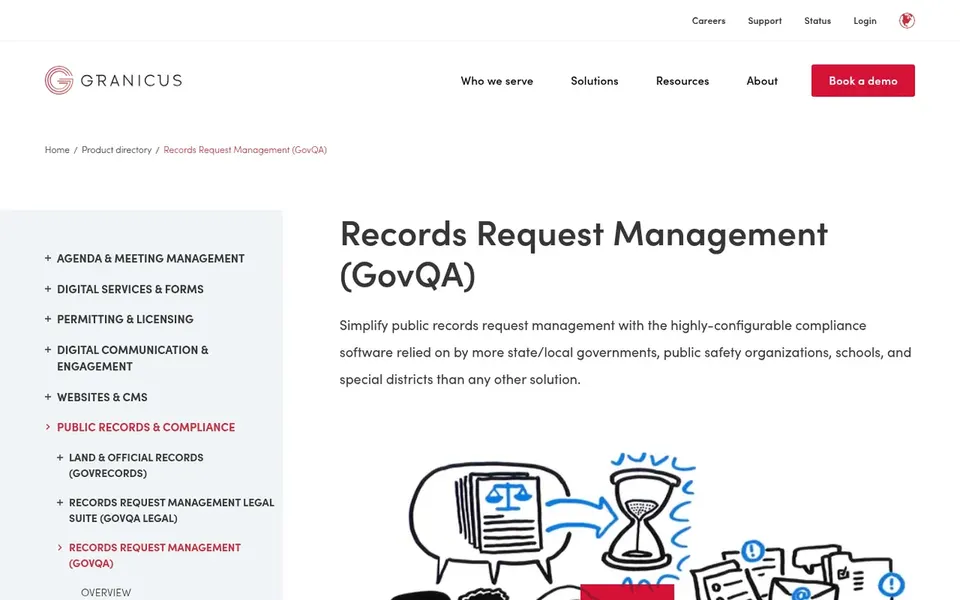
For open records work, it is relevant as the broader system behind GovQA, so agencies already using Granicus services may value the shared environment. Worth adding: the system scope is large, and a small agency with only records request needs may find a focused product more straightforward to adopt. Pricing for Granicus is not stated here, so ask the vendor for current figures. As for free access: Not stated.
Downsides: Wide scope may exceed small agency needs.
Best for: Government process management from OPEXUS
For government process management from OPEXUS, FOIAXpress is a natural candidate. Agencies wanting a straightforward, single-purpose request tool may prefer a narrower choice.
Honest limits: Product details are less prominent on homepage.
It is a reasonable candidate when FOIA work must connect to other government processes. FOIAXpress does not show a starting price in this comparison, so check the vendor site for current pricing. Free plan details: Not stated.
Best for: Document management with process automation
Laserfiche is aimed squarely at document management with process automation. Agencies use it to organize content and automate processes, and records request handling can fit within that broader capability.
For everyday use, since it is a wide product, teams should confirm how open records request intake and tracking are handled and plan for configuration. Laserfiche cost at the entry level: $42 per user per month. Trial and free access: Not stated.
Where it is weaker: Records requests are one use case.
Best for: Customizable public records request management
GovQA serves customizable public records request management. It is targeted at government agencies that want a dedicated system for receiving, tracking and responding to records requests instead of a general document platform.
Trade-offs to know: Narrower than full document products.
This comparison lists no price for GovQA; ask the vendor. As for free access: Not stated.
Get a written quote from Accela, JustFOIA, Granicus and others; the list shows no starting price for them.
Before choosing Accela, weigh its main limit: records requests are not the headline focus.
Ask the daily users to test Laserfiche on a live task before you roll it out to everyone.
Check whether Accela bills monthly or annually, and what cancelling early costs.
Confirm that JustFOIA connects to the apps your team already uses, on the plan you would actually buy.
How we picked
For each of the 6 tools we noted price, free plan or trial, fit for open records software and the main limit, using vendor pages and documentation. Figures are shown as the vendors publish them. Billing terms, seat minimums and add-ons can change the real cost. Order on the page follows fit for the typical buyer first, then price transparency and free access. Your own requirements should decide the final pick.
Every price and plan detail on this page comes from the vendors’ own websites. We did not run hands-on tests unless the text says so, and we do not publish star ratings or review scores. See how we score and our disclosure.
Keep your shortlist in one place
Paste prices, trial dates and notes from this guide into Ainotely, our AI note app. It files them into a topic and pulls out tasks like “cancel trial by Friday”. Free 7-day trial, no card needed.
Does any tool for open records software here have a free plan?
No tool in this list, Accela and GovQA included, has a permanent free plan. Trials and quotes are the usual route, so plan a short evaluation period.
Can I try these options before paying?
Not by default. None of the tools, from Accela to GovQA, lists a free plan or a free trial here, so ask each vendor for a demo before committing.
Can open records software manage sensitive or exempt information?
Most government-focused tools emphasize security and customizable workflows for handling sensitive material. In daily use, confirm specific redaction, permission and retention features with each vendor, since these vary by product.
How are the tools for open records software ordered?
The order follows typical fit for open records software, with Accela first and GovQA last, then price clarity and free access. It is editorial judgement, not a score, so another team could rank the tools differently.
What should an agency look for in open records software?
Focus on request intake and tracking, secure access controls, audit trails and reporting. Also confirm how the tool links to your existing document and email systems, since records work seldom stands alone.
Should small agencies choose a system or a focused tool?
Small agencies with largely request-handling needs commonly benefit from a focused product that is quicker to set up. A broader product makes sense when records work is part of a bigger information management plan.