For Construction ERP and job costing, Viewpoint Vista is where this list starts. Look at Autodesk Construction Cloud for collaborative, budget-aware project delivery, and at Procore for connecting field and office cost data. The remaining 3 options are covered below with prices and limits.
This Ainotely guide covers 6 options for software for construction cost optimization. Each profile lists a starting price, free plan details, strengths and drawbacks, so you can drop poor fits quickly.
Key takeaways
Viewpoint Vista sits first on this list: Construction ERP and job costing.
No starting price is shown for any of the 6 tools, Viewpoint Vista and CoConstruct included, so plan time for sales calls.
CoConstruct is the one to check for custom builders and remodelers.
A permanent free plan is missing from all 6 tools, Viewpoint Vista and CoConstruct included; plan for a trial or a premium start.
Check the limits for Procore before you commit: wide product may feel heavy for small crews.
Think of Viewpoint Vista for Construction ERP and job costing. Viewpoint Vista by Trimble is construction ERP and project management software aimed at contractors to run projects, people and profits. Its stated strengths contain job costing, simplified workflows and reporting.
In practice, as an ERP, Vista involves implementation effort and process change. Consider it when integrated job costing, payroll and reporting across the business are the central goals rather than field collaboration alone. Viewpoint Vista does not show a starting price in this comparison, so check the vendor site for current pricing. Free access: Not stated.
Best for: Collaborative, budget-aware project delivery
Where Autodesk Construction Cloud fits: collaborative, budget-aware project delivery. Pick Autodesk Construction Cloud when collaboration across design and construction teams is central to controlling project cost. For everyday use, businesses seeking a narrow job-costing system may find it broader than needed.
Downsides: Breadth can complicate rollout.
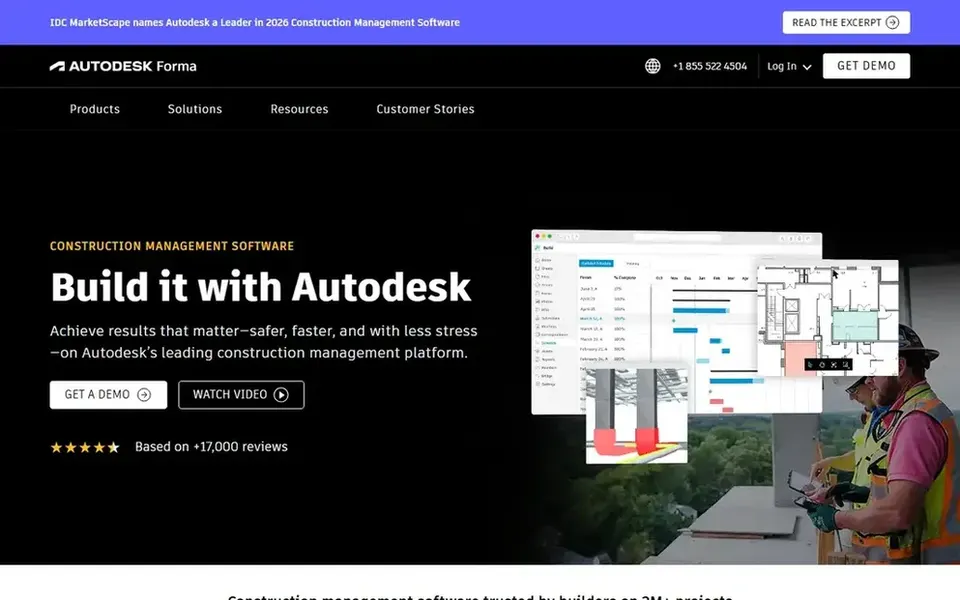
Autodesk Construction Cloud, now presented as Autodesk Forma, is construction management software built around secure, quick collaboration so project teams can deliver on time and on budget. Its design and construction data connections help teams coordinate scope and cost. Pricing for Autodesk Construction Cloud is not stated here, so ask the vendor for current figures. Free access: Not stated.
Procore is built with connecting field and office cost data in mind. Procore is a construction management product that links the site and the office. Its stated focus is live visibility so teams can deliver quality projects on time.
For everyday use, choose Procore when connected project data across field and office is the priority. As for the details, since Procore spans plenty of workflows, smaller businesses may find setup and administration demanding. Beyond that, teams that chiefly need estimating or accounting depth may prefer a specialized tool. In daily use, for cost optimization, that means budget, commitment and field data can live in one place, helping managers catch variances sooner. Procore shows no starting price here, so confirm the cost on the vendor site. Free plan details: Not stated.
Limits to weigh: Cost detail relies on configured workflows.
HCSS HeavyBid targets heavy civil construction estimating. It helps teams build more accurate bids quicker, which is foundational to cost optimization since winning work at the right price starts with solid estimates.
Where HCSS HeavyBid stands out: Estimating and bid management focus.
What to check first: Estimating-focused, not full ERP.
As for the details, choose HeavyBid when accurate, efficient heavy civil bidding is the primary cost control lever. Check the vendor site for HCSS HeavyBid pricing; none is listed in this comparison. As for free access: Not stated.
Best for: Simplified construction ERP from field to office
Trimble Viewpoint Spectrum works best for simplified construction ERP from field to office. Teams needing only estimating or scheduling may find it broader than necessary.
Spectrum is an ERP, so setup and training require investment. As for the details, Trimble Viewpoint Spectrum is construction ERP software that eases work from the field to the office so teams can finish projects quicker and smarter. This comparison lists no price for Trimble Viewpoint Spectrum; ask the vendor. Free plan details: Not stated.
What to check first: Feature depth varies by role.
CoConstruct targets custom builders and remodelers. CoConstruct is construction management software for builders and remodelers, now unified with Buildertrend under one brand committed to a smooth experience. The brand unification means some resources may reference Buildertrend.
Where it is weaker: Brand transition may affect resources.
For cost optimization, it supports the budgeting and client communication workflows typical in custom home building and remodeling. Also, choose it when residential client-facing cost and change management is the core need. This comparison lists no price for CoConstruct; ask the vendor. Free plan details: Not stated.
Confirm the entry price with every vendor: no tool from Viewpoint Vista to CoConstruct shows a fixed starting price.
Before choosing Viewpoint Vista, weigh its main limit: ERP setup needs commitment.
Involve the people who will use HCSS HeavyBid daily; a short pilot beats a long feature checklist.
Look at the help docs and support options for Autodesk Construction Cloud before you commit.
Look at which plan of Viewpoint Vista unlocks the features you need; entry tiers are often cut down.
How we picked
The comparison looks at four things: starting price, free access, how well the feature set matches software for construction cost optimization, and the main limit of each tool. Figures are shown as the vendors publish them. Billing terms, seat minimums and add-ons can change the real cost. The order reflects how well each tool fits the most common buying scenario for software for construction cost optimization, then price clarity, then free plan access. It is a starting point, not a verdict.
Every price and plan detail on this page comes from the vendors’ own websites. We did not run hands-on tests unless the text says so, and we do not publish star ratings or review scores. See how we score and our disclosure.
Keep your shortlist in one place
Paste prices, trial dates and notes from this guide into Ainotely, our AI note app. It files them into a topic and pulls out tasks like “cancel trial by Friday”. Free 7-day trial, no card needed.
Not by default. None of the tools, from Viewpoint Vista to CoConstruct, lists a free plan or a free trial here, so ask each vendor for a demo before committing.
What should heavy civil contractors consider for estimating?
HCSS HeavyBid centres on estimating and bid management for heavy construction, helping teams build accurate bids quicker. In practice, since it is estimating-centered, contractors may pair it with accounting or field systems. Confirm integration choices before choosing.
How are the tools for software for construction cost optimization ordered?
Viewpoint Vista sits first and CoConstruct last because the order follows typical fit for software for construction cost optimization, then price clarity and free access. It is a judgement call, so read each profile for fit and limits.
Do these tools publish their prices?
No. None of the tools, from Viewpoint Vista to CoConstruct, shows a fixed starting price here, so budget time for quotes.
When does an ERP like Viewpoint Vista or Spectrum make sense?
Construction ERPs fit contractors who require job costing, reporting and financial workflows unified across the business. Vista emphasizes job costing and reporting, whereas Spectrum emphasizes field-to-office workflows.
Does any tool for software for construction cost optimization here have a free plan?
No tool in this list, Viewpoint Vista and CoConstruct included, has a permanent free plan. Trials and quotes are the usual route, so plan a short evaluation period.