If you need straightforward web conferencing, GoTo Meeting is the first tool to look at here. Listed starting prices: TrueConf from $10 per user a year. TrueConf is the stronger choice for on-premises deployment and interoperability, while Zoom Workplace suits all-in-one meetings, chat and phone. The other 2 tools in the list cover narrower or pricier cases.
Ainotely compared 5 video conferencing software for franchises. The goal is a practical shortlist: published prices, free plan facts, best-fit use cases and honest limits for every entry.
Key takeaways
GoTo Meeting is the opening pick, best for straightforward web conferencing.
One limit worth knowing about GoTo Meeting: narrower scope than full collaboration suites.
Microsoft Teams is the one to check for franchises inside the Microsoft ecosystem.
For the cheapest start, look at TrueConf: $10 per user per year.
Think of GoTo Meeting for straightforward web conferencing. GoTo Meeting is a web conferencing tool built around the features firms need for virtual meetings. Since the product centers on meetings, franchises needing phone systems, chat or contact center functions in the same system will likely look elsewhere.
It is also less suited to networks wanting deep integration with a productivity suite. Worth adding: pick GoTo Meeting when straightforward web conferencing is the core requirement. No starting price is listed for GoTo Meeting here; confirm pricing on the vendor site. Trial and free access: Not stated.
Watch-outs: Fewer adjacent modules for franchise operations.
Best for: On-premises deployment and interoperability
TrueConf is built with on-premises deployment and interoperability in mind. For franchise networks, that combination suits organizations that want meetings hosted on their own infrastructure and have to link with existing video systems.
Honest limits: Less suited to teams wanting zero infrastructure.
On top of that, on-premises deployment means the network carries the setup and maintenance burden, which can be heavy for franchises without dedicated IT staff. Pick TrueConf when infrastructure control and interoperability with existing video systems are the deciding factors. The starting price for TrueConf: $10 per user per year. TrueConf includes a free tier.
Zoom Workplace works best for all-in-one meetings, chat and phone. For franchises, that breadth means corporate teams, regional managers and individual locations can meet, message and call from one place rather than stitching multiple tools together. The system includes lots of ground, so smaller franchise groups may find parts of it unnecessary and the setup heavier than a plain meeting tool.
Upsides: phone and webinars in one system.
What to check first: Numerous features may overlap for small networks.
Choose Zoom Workplace when breadth and a familiar meeting experience matter most. On top of that, Zoom Workplace is a collaboration product that brings video meetings together with chat, VoIP phone, webinars, whiteboard, contact center and events. Check the vendor site for Zoom Workplace pricing; none is listed in this comparison. Free options: Not stated.
Cisco Webex is aimed squarely at AI-assisted collaboration and devices. Cisco Webex is described as an AI-powered collaboration system that also spans customer experience, devices and product solutions.
Choose Webex when hardware consistency and AI-assisted collaboration across sites are priorities. Also, for franchise networks, that means meetings can link with room devices and broader collaboration capabilities, which fits organizations standardizing hardware across numerous sites. Cisco Webex does not show a starting price in this comparison, so check the vendor site for current pricing. Free access exists with Cisco Webex.
Honest limits: Device extras may not suit every location.
Best for: Franchises inside the Microsoft ecosystem
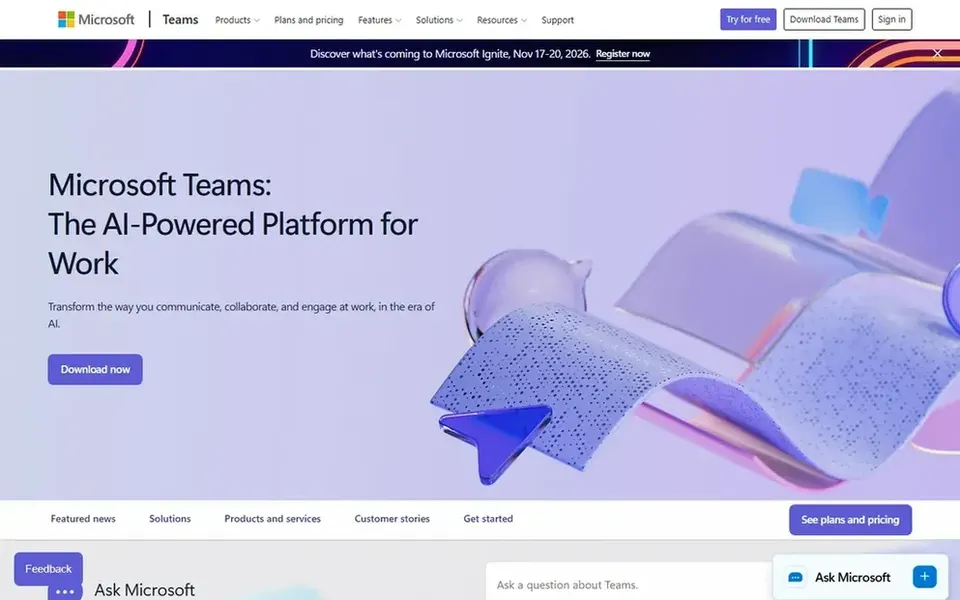
Microsoft Teams is a good fit for franchises inside the Microsoft ecosystem. Teams makes the most sense when the rest of the organization already runs on Microsoft software. Otherwise the value is less clear and adoption can lag.
Pick Teams when integration with existing Microsoft workflows outweighs standalone meeting simplicity. From a buyer's view, the homepage emphasizes that tools and files are always available in one place, which helps franchise networks keep location-level conversations and shared documents organized. Microsoft Teams shows no starting price here, so confirm the cost on the vendor site. Free plan details: Not stated.
Where it is weaker: Interface can feel dense for occasional users.
Ask GoTo Meeting, Zoom Workplace, Cisco Webex and Microsoft Teams for a written quote, since no starting price is shown.
Check what the free option really includes: TrueConf and Cisco Webex offer a free plan, and usage caps differ.
Before choosing GoTo Meeting, weigh its main limit: narrower scope than full collaboration suites.
Let daily users try Microsoft Teams on real work; their feedback beats any feature checklist.
Compare total cost, not headline price: for TrueConf, add extra seats, add-ons and any usage-based charges.
How we picked
The comparison looks at four things: starting price, free access, how well the feature set matches video conferencing software for franchises, and the main limit of each tool. Prices and plan limits come from vendor pages and can change, so confirm them on the vendor site before you buy. The ranking is editorial: typical fit first, then clear pricing, then free access. If your needs are unusual, read the profiles rather than relying on position.
Every price and plan detail on this page comes from the vendors’ own websites. We did not run hands-on tests unless the text says so, and we do not publish star ratings or review scores. See how we score and our disclosure.
Keep your shortlist in one place
Paste prices, trial dates and notes from this guide into Ainotely, our AI note app. It files them into a topic and pulls out tasks like “cancel trial by Friday”. Free 7-day trial, no card needed.
Often, yes. TrueConf and Cisco Webex have a free plan. Use your own data and a real task during the test, and check what the free tier or trial limits before you rely on it.
Is GoTo Meeting the right pick for everyone comparing video conferencing software for franchises?
No single tool suits every team. GoTo Meeting comes first because it fits straightforward web conferencing, while TrueConf suits on-premises deployment and interoperability and Zoom Workplace suits all-in-one meetings, chat and phone. Match the tool to your own size, budget and workflow before deciding.
Which video conferencing tool is a good match for a franchise with numerous locations?
The first pick on this list is GoTo Meeting, because it suits straightforward web conferencing. TrueConf is better for on-premises deployment and interoperability, and Zoom Workplace for all-in-one meetings, chat and phone. Check price and limits against your own needs before choosing.
Do these tools publish their prices?
Not all of them. GoTo Meeting, Zoom Workplace, Cisco Webex and Microsoft Teams publish no starting price, so expect a quote request for those. The rest, TrueConf included, show a starting price, though seats and billing terms still change the final cost.
What is the cheapest option for video conferencing software for franchises in this list?
On published monthly entry prices, TrueConf is the lowest here at $10 per user per year. Entry price is only part of the cost, because seats, add-ons and billing terms can change the total.