This list puts GoTo Webinar first for dedicated webinar delivery for business audiences. Listed starting prices: Livestorm from €2.50 per attendee. Alternatives: Livestorm for marketing-led partner programs with CRM sync, and Adobe Connect for structured virtual classrooms and persistent rooms. Details, prices and limits for the rest of the 5 tools are below.
Choosing webinar software for partner training usually comes down to price, fit and limits. This Ainotely guide sets 5 tools side by side on those three points, with the facts kept short and checkable.
Key takeaways
This list starts with GoTo Webinar, which is built for dedicated webinar delivery for business audiences.
Expect to ask for a quote from GoTo Webinar, Adobe Connect, Cisco Webex Webinars and Zoom Webinars; the other tools show a starting price.
Zoom Webinars is the one to check for wide collaboration and familiar meeting experience.
Before buying Cisco Webex Webinars, weigh this: enterprise orientation can feel heavy.
Wide collaboration and familiar meeting experience
Webinar controls can feel complex
The 5 picks in detail
GW
#1
GoTo Webinar
Best for: Dedicated webinar delivery for business audiences
Pick GoTo Webinar if this describes you: dedicated webinar delivery for business audiences. It suits training teams that want a focused webinar experience instead of a general meeting product, and organizations already using GoTo products can keep vendors consolidated.
Watch-outs: Feature depth varies by product line.
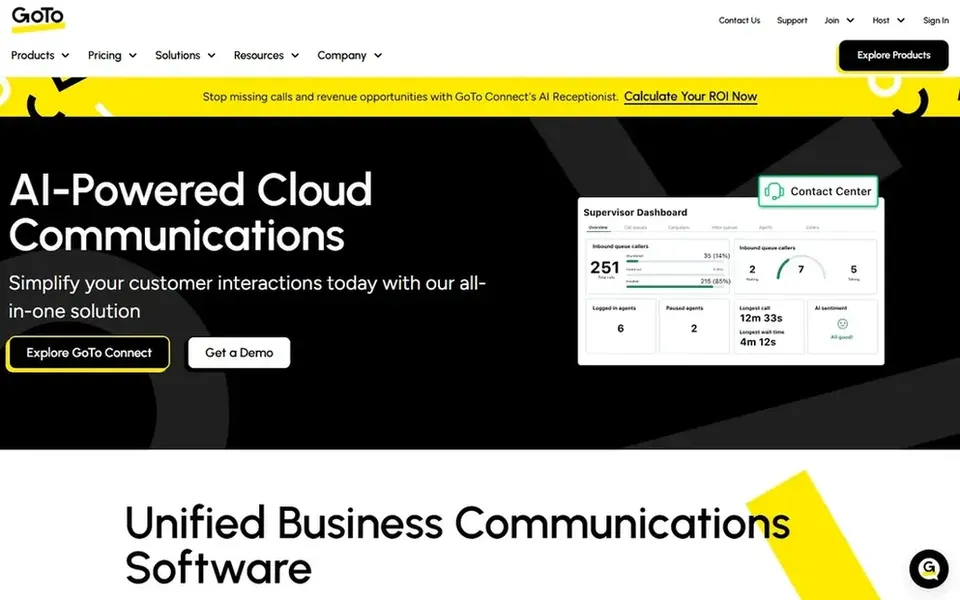
Also, since GoTo's homepage centers on its wider product family, confirm webinar-specific capabilities on the product page before committing. GoTo Webinar shows no starting price here, so confirm the cost on the vendor site. Free access: Not stated.
Best for: Marketing-led partner programs with CRM sync
Pick Livestorm if this describes you: marketing-led partner programs with CRM sync. Livestorm describes itself as an all-in-one webinar product for marketing teams, covering branded events, engagement insights and CRM data sync to present return on investment, with AI enhancements.
Downsides: Marketing orientation may not suit pure training.
In daily use, since the product is positioned around marketing events, teams wanting a general collaboration hub may need extra tools for meetings and chat. Livestorm pricing: €2.50 per attendee. On free options: Not stated.
Best for: Structured virtual classrooms and persistent rooms
Adobe Connect is designed for structured virtual classrooms and persistent rooms. Adobe's homepage emphasizes its creative and document products, so confirm current webinar features on the Adobe Connect page.
No starting price is listed for Adobe Connect here; confirm pricing on the vendor site. On free options: Not stated.
Points against: Less marketed as a webinar growth tool.
Best for: AI-assisted collaboration in enterprise settings
For AI-assisted collaboration in enterprise settings, Cisco Webex Webinars is a natural candidate. The enterprise focus means configuration and administration can involve IT teams, which slows down small partner programs.
Where it falls short: Setup may need IT involvement.
More specifically, if you want a light tool that marketing can run without support, a more straightforward webinar product may be the better fit. This comparison lists no price for Cisco Webex Webinars; ask the vendor. Cisco Webex Webinars offers a free plan.
Best for: Wide collaboration and familiar meeting experience
Pick Zoom Webinars if this describes you: wide collaboration and familiar meeting experience. For partner training, that means partners likely already know the interface.
The main drawbacks: Webinar controls can feel complicated.
You can move between meetings and webinars without learning a second tool. This comparison lists no price for Zoom Webinars; ask the vendor. Free access: Not stated.
Confirm the entry price on the vendor page. For GoTo Webinar, Adobe Connect, Cisco Webex Webinars and Zoom Webinars that means a quote rather than a fixed price.
Test the free plan from Cisco Webex Webinars against your real workload before relying on it.
Before choosing GoTo Webinar, weigh its main limit: less of a full collaboration hub.
Check whether Zoom Webinars bills monthly or annually, and what cancelling early costs.
Find out what support Cisco Webex Webinars includes on your plan, and whether onboarding help costs extra.
How we picked
Selection started from tools commonly considered for webinar software for partner training, then narrowed to 5 that have clear pricing information or a clear quote process. Figures are shown as the vendors publish them. Billing terms, seat minimums and add-ons can change the real cost. Order on the page follows fit for the typical buyer first, then price transparency and free access. Your own requirements should decide the final pick.
Every price and plan detail on this page comes from the vendors’ own websites. We did not run hands-on tests unless the text says so, and we do not publish star ratings or review scores. See how we score and our disclosure.
Keep your shortlist in one place
Paste prices, trial dates and notes from this guide into Ainotely, our AI note app. It files them into a topic and pulls out tasks like “cancel trial by Friday”. Free 7-day trial, no card needed.
When is a dedicated webinar tool better than a meeting product?
Dedicated tools like GoTo Webinar or Livestorm generally offer more solid registration, branding and marketing workflows. Meeting-centered products for example Zoom or Teams work well when partners already use them daily.
Can I try these tools before paying?
Often, yes. Cisco Webex Webinars has a free plan. Use your own data and a real task during the test, and check what the free tier or trial limits before you rely on it. The 5 tool cards above repeat this per product for webinar software for partner training, with the listed price or "pricing on request".
What should partner training webinars prioritize?
Dependable delivery, straightforward joining for external partners and clear attendance reporting matter most. Branding and CRM sync become important when marketing runs the program and needs to track engagement.
How do I evaluate integrations before buying?
List the systems your partner program depends on, like a CRM or learning system, then confirm supported integrations on each vendor site. Ask vendors how attendance data flows into those systems.
Do these tools publish their prices?
Not all of them. GoTo Webinar, Adobe Connect, Cisco Webex Webinars and Zoom Webinars publish no starting price, so expect a quote request for those. The rest, Livestorm included, show a starting price, though seats and billing terms still change the final cost.
How are the tools for webinar software for partner training ordered?
The order follows typical fit for webinar software for partner training, with GoTo Webinar first and Zoom Webinars last, then price clarity and free access. It is editorial judgement, not a score, so another team could rank the tools differently.