Stylus Studio is the first pick on this list for XML IDE with XSLT tooling. Listed starting prices: Liquid XML Studio from $155.48. Liquid XML Studio is better for XML and JSON data integration, and BaseX is better for light open source XML storage. Details, prices and limits for the rest of the 5 tools are below.
This Ainotely guide covers 5 options for xml databases software. Each profile lists a starting price, free plan details, strengths and drawbacks, so you can drop poor fits quickly.
Key takeaways
Number one here is Stylus Studio, a fit for XML IDE with XSLT tooling.
Stylus Studio, MarkLogic and the 3 others all need a premium plan or a trial, since no free plan is listed.
One limit worth knowing about Stylus Studio: IDE focus, not database storage.
MarkLogic is the one to check for complicated multi-model data management.
Stylus Studio works best for XML IDE with XSLT tooling. Choose Stylus Studio when XSLT, XSL and schema development are the heart of your XML work. Worth adding: the IDE approach makes it handy for building and debugging stylesheets and schemas within a XML project.
Stylus Studio is described as an innovative XML IDE offering advanced development tools for XML, XSL, XSLT, XML Schema and more. If your work is chiefly authoring straightforward documents, a lighter editor may be enough. Check the vendor site for Stylus Studio pricing; none is listed in this comparison. Free access: Free trial.
Where it falls short: Narrower than full data systems.
For XML and JSON data integration, Liquid XML Studio is a natural candidate. Liquid XML Studio from Liquid Technologies offers XML, JSON, data mapping and data binding tools.
Drawbacks to consider: Not a XML database engine.
This makes it a fit for developers who need to design schemas and create code around XML and JSON data. Pick Liquid XML Studio when schema design, data integration and code generation are the priority. Starting cost for Liquid XML Studio: $155.48. On free options: Free trial.
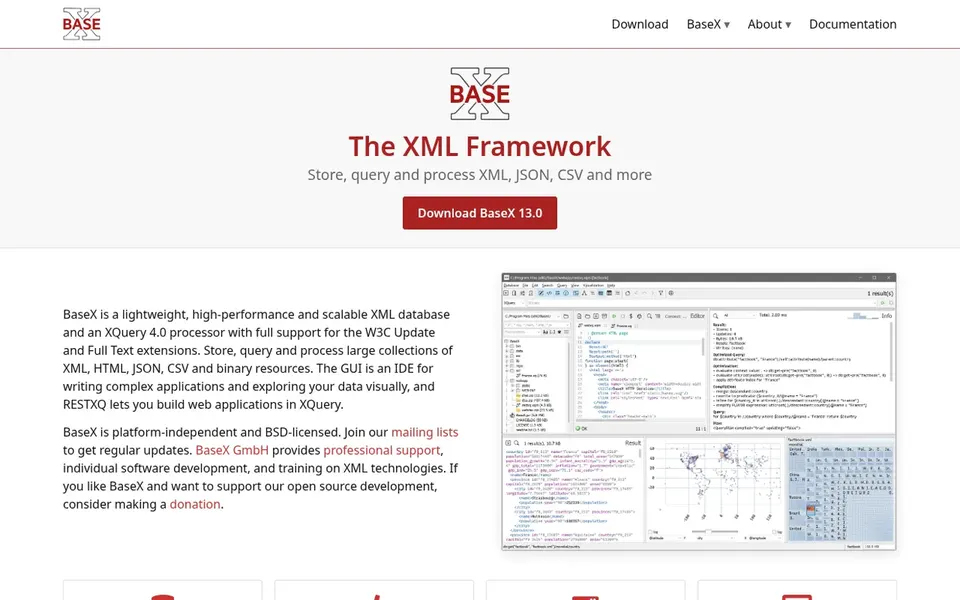
BaseX is aimed squarely at light open source XML storage. Projects needing deep data integration or graphical tooling may want to pair it with an editor or choose a bigger system. More specifically, BaseX describes itself as the XML framework, combining a XML database with a XQuery processor.
Downsides: Requires XML and XQuery familiarity.
It keeps, queries and processes XML, JSON, CSV and more, and is positioned as quick, light and open source. This makes it a good fit for developers who want a compact XML database and a capable query engine without a large product footprint. For everyday use, choose BaseX when simplicity, open source code and XQuery are the priorities. BaseX shows no starting price here, so confirm the cost on the vendor site. Free options: Not stated.
MarkLogic Server is aimed squarely at deploying the MarkLogic product. The server form shares the product's enterprise scope, so it may be more than a modest XML project needs. Pick MarkLogic Server when you are ready to run the full multi-model system in production.
Points against: Product scope may exceed small needs.
MarkLogic Server refers to the deployable server form of the MarkLogic system, described as an adaptable, AI-ready multi-model data management product. Worth adding: for a small, self-contained XML store, a lighter database is frequently simpler to operate. MarkLogic Server does not show a starting price in this comparison, so check the vendor site for current pricing. Free access: Free trial.
Think of MarkLogic for complicated multi-model data management. If your requirement is a light XML store with straightforward querying, a more straightforward choice may suit you better. In practice, MarkLogic is presented by Progress as an adaptable, AI-ready multi-model data management product.
It is geared toward organizations solving complicated data challenges and looking to unlock more value from data that spans XML and other models. Since it is positioned as a full data product, MarkLogic can be more than a small project needs. This comparison lists no price for MarkLogic; ask the vendor. Free plan details: Free trial.
Ask Stylus Studio, BaseX, MarkLogic Server and MarkLogic for a written quote, since no starting price is shown.
Run a trial of Stylus Studio, Liquid XML Studio, MarkLogic Server and MarkLogic with real work before paying for a year; your own workflow is the best test.
Before choosing Stylus Studio, weigh its main limit: IDE focus, not database storage.
Verify that exporting from MarkLogic Server is possible on your plan and covers all your records.
Find out whether the entry plan of BaseX covers your must-haves or only a trimmed-down version.
How we picked
Ainotely used vendor pricing pages and product documentation as the base, then compared plans, free access and documented limits for 5 tools. Prices and plan limits come from vendor pages and can change, so confirm them on the vendor site before you buy. The sequence is a judgement call: typical use case first, then pricing transparency, then free access. Use the profiles to check fit. Keep it in mind while reading the 5 Xml databases software profiles on this page.
Every price and plan detail on this page comes from the vendors’ own websites. We did not run hands-on tests unless the text says so, and we do not publish star ratings or review scores. See how we score and our disclosure.
Keep your shortlist in one place
Paste prices, trial dates and notes from this guide into Ainotely, our AI note app. It files them into a topic and pulls out tasks like “cancel trial by Friday”. Free 7-day trial, no card needed.
Often, yes. Stylus Studio, Liquid XML Studio, MarkLogic Server and MarkLogic offer a free trial. Use your own data and a real task during the test, and check what the free tier or trial limits before you rely on it.
Do these tools publish their prices?
Not all of them. Stylus Studio, BaseX, MarkLogic Server and MarkLogic publish no starting price, so expect a quote request for those. The rest, Liquid XML Studio included, show a starting price, though seats and billing terms still change the final cost.
When should I choose a multi-model system like MarkLogic?
It fits organizations whose data spans XML and other models instead of a single format. Smaller, focused XML projects may do better with a lighter database.
What is the difference between a XML database and a XML editor?
A XML database keeps and queries XML collections, commonly with a query language for example XQuery. A XML editor concentrates on authoring, validating and transforming documents.
Is Stylus Studio the right pick for everyone comparing xml databases software?
No single tool suits every team. Stylus Studio comes first because it fits XML IDE with XSLT tooling, while Liquid XML Studio suits XML and JSON data integration and BaseX suits lightweight open source XML storage. Match the tool to your own size, budget and workflow before deciding.
Do I need an IDE such as Stylus Studio or Liquid XML Studio?
If your work involves heavy XSLT or schema development, an IDE can save time. If you chiefly store and query XML, a database engine may be sufficient.