NinjaOne is the first pick on this list for unified IT operations for teams and MSPs. Listed starting prices: NinjaOne from $1.50 per device a month. ServiceNow IT Asset Management is the stronger choice for end-to-end IT asset lifecycle automation, while ManageEngine Endpoint Central suits unified endpoint management and security. All 5 tools are compared below on price, free plan and limits.
Short on time? The summary and table above give the quick view of 5 tools for OCS Inventory NG, and the profiles that follow give the detail behind each entry.
Key takeaways
NinjaOne sits first on this list: unified IT operations for teams and MSPs.
Check the limits for NinjaOne before you commit: may be more than basic inventory needs.
Only 2 of the 5 tools have a free plan (Lansweeper, Action1), so check the caps.
Action1 fits autonomous patch management and vulnerability remediation.
NinjaOne has the lowest monthly starting price in this list: $1.50 per device per month.
Autonomous patch management and vulnerability remediation
Yes
Limited to patching and remediation
The 5 picks in detail
NO
#1
NinjaOne
Best for: Unified IT operations for teams and MSPs
NinjaOne is a good fit for unified IT operations for teams and MSPs. Whereas it spans plenty of operational tasks, it may not supply the same depth of asset discovery as dedicated inventory tools.
Downsides: Operational focus over deep asset intelligence.
Teams needing only inventory tracking might prefer a more straightforward choice. What you pay to start with NinjaOne: $1.50 per device per month. As for free access: Free trial.
Best for: End-to-end IT asset lifecycle automation
For end-to-end IT asset lifecycle automation, ServiceNow IT Asset Management is a natural candidate. ServiceNow IT Asset Management helps organizations take control of IT assets by automating the end-to-end lifecycle for software, hardware, and cloud assets.
Where it is weaker: Needs process maturity to implement.
It aims to optimize costs whereas reducing risk, making it a good match for enterprises that require asset governance tied to service management processes. ServiceNow IT Asset Management shows no starting price here, so confirm the cost on the vendor site. Free plan details: Not stated.
Best for: Unified endpoint management and security
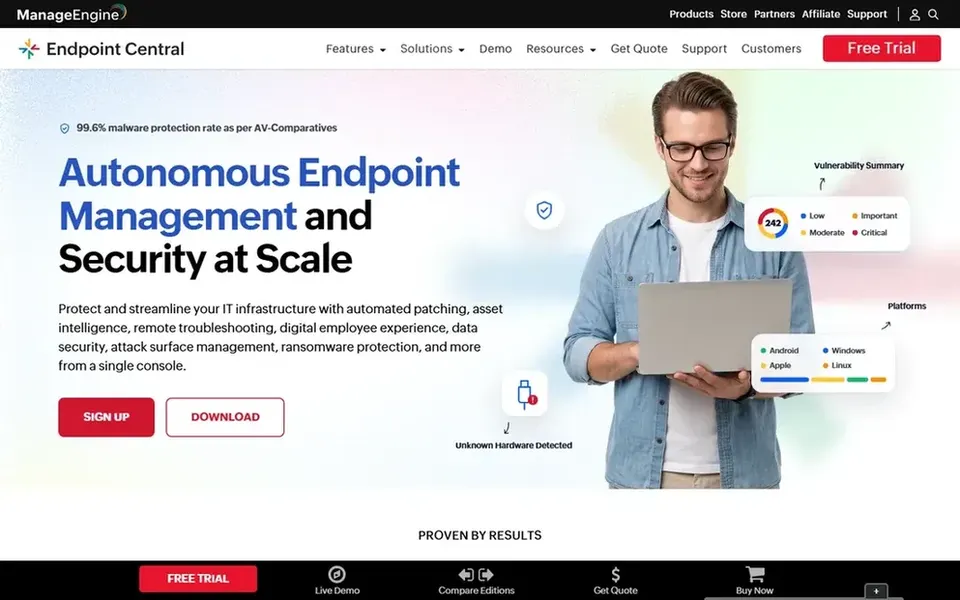
ManageEngine Endpoint Central makes the most sense for unified endpoint management and security. ManageEngine Endpoint Central is a unified endpoint management and security option that centrally runs and secures servers, desktops, laptops, and mobile devices.
Organizations focused only on network monitoring or pure asset discovery may find it broader than needed. The product is broad, which can mean a ramp-up time for smaller teams. This comparison lists no price for ManageEngine Endpoint Central; ask the vendor. Free plan details: Not stated.
Where it is weaker: Primarily agent-based management.
Best for: Cyber asset intelligence across IT, OT, and cloud
Lansweeper is designed for cyber asset intelligence across IT, OT, and cloud. Teams seeking built-in remediation or software deployment may have to pair it with another tool.
The main drawbacks: May be complicated for small teams.
Main advantages: Supplies steady asset intelligence; cloud environments.
Lansweeper emphasizes discovery and intelligence instead of active endpoint management or patching. Lansweeper shows no starting price here, so confirm the cost on the vendor site. You can start on Lansweeper without paying.
Best for: Autonomous patch management and vulnerability remediation
Pick Action1 if this describes you: autonomous patch management and vulnerability remediation. Action1 offers autonomous patch management and vulnerability remediation for Windows, macOS, and Linux endpoints. It deploys pre-tested OS and external patches from a single cloud-native product, making it a solid fit for teams that prioritize patch compliance and remediation speed.
Worth adding: organizations needing broader inventory or configuration management should consider other choices. The tool is centred on patching instead of thorough asset discovery or endpoint management. Action1 shows no starting price here, so confirm the cost on the vendor site. You can start on Action1 without paying.
What to check first: Restricted to patching and remediation.
Get a written quote from ServiceNow IT Asset Management, ManageEngine Endpoint Central, Lansweeper and Action1; the list shows no starting price for them.
Look at free plan limits closely: Lansweeper and Action1 have one, and the caps decide whether it is usable for real work.
Take the trial from NinjaOne and push a live task through it before you pay.
Read the limits listed for NinjaOne first: may be more than entry-level inventory needs.
The entry price of ManageEngine Endpoint Central is only the starting point; model the full cost with seats and extras.
Confirm the exact Action1 plan that includes your must-have features.
How we picked
Ainotely used vendor pricing pages and product documentation as the base, then compared plans, free access and documented limits for 5 tools. Where a price is missing, the vendor does not list one publicly or ties it to a quote. Always confirm before budgeting. Position on the page reflects fit for a typical buyer first, with price clarity and free access breaking ties. Treat it as a guide, not a ruling. This applies to all 5 OCS inventory NG alternatives options compared here.
Every price and plan detail on this page comes from the vendors’ own websites. We did not run hands-on tests unless the text says so, and we do not publish star ratings or review scores. See how we score and our disclosure.
Keep your shortlist in one place
Paste prices, trial dates and notes from this guide into Ainotely, our AI note app. It files them into a topic and pulls out tasks like “cancel trial by Friday”. Free 7-day trial, no card needed.
Which options for OCS Inventory NG have a free plan?
On this list, Lansweeper and Action1 include a free plan. Caps on seats, usage or features are common, so test the free plan against your real workload. One other tool offers a trial instead.
How are the tools for OCS Inventory NG ordered?
NinjaOne sits first and Action1 last because the order follows typical fit for OCS Inventory NG, then price clarity and free access. It is a judgement call, so read each profile for fit and limits.
Do these tools publish their prices?
Not all of them. ServiceNow IT Asset Management, ManageEngine Endpoint Central, Lansweeper and Action1 publish no starting price, so expect a quote request for those. The rest, NinjaOne included, show a starting price, though seats and billing terms still change the final cost.
Can I try these tools before paying?
Often, yes. Lansweeper and Action1 have a free plan and NinjaOne offers a free trial. Use your own data and a real task during the test, and check what the free tier or trial limits before you rely on it.
Which alternative is best for patch management?
NinjaOne is the pick this page puts first, mainly for unified IT operations for teams and MSPs. If your situation differs, ServiceNow IT Asset Management suits end-to-end IT asset lifecycle automation, and ManageEngine Endpoint Central suits unified endpoint management and security. Compare price and limits before you decide.