Start with DynaSCAPE if you need design and business management integration. Listed starting prices: DynaSCAPE from $48 a month. Alternatives: Land F/X for Landscape-specific CAD plugins and tools, and AutoCAD for DWG collaboration and precise 2D drafting. Details, prices and limits for the rest of the 6 tools are below.
Ainotely compared 6 tools for 2D landscape design software. The goal is a practical shortlist: published prices, free plan facts, best-fit use cases and honest limits for every entry.
Key takeaways
Number one here is DynaSCAPE, a fit for design and business management integration.
The cheapest monthly starting price in the list is $48 per month, offered by DynaSCAPE.
What to know about PRO Landscape first: may be less in-depth for construction docs.
For vector illustration and presentation graphics, CorelDRAW is worth a look.
None of the 6 tools, from DynaSCAPE to CorelDRAW, has a free plan, so budget for a subscription or use a trial.
Best for: Design and business management integration
DynaSCAPE works best for design and business management integration. DynaSCAPE supplies landscape design software alongside business management tools, aiming to help professional landscape businesses scale. It includes design features for 2D plans and plugs into estimating and client management.
Honest limits: Business features may be unnecessary for solo designers.
The business management side may be more than a solo designer needs, and the full suite can take time to master. In practice, if you only need drafting tools, a more straightforward choice might be more economical. Choose DynaSCAPE when you want design and business workflows in one ecosystem. Price to start with DynaSCAPE: $48 per month. As for free access: Free trial.
Best for: Landscape-specific CAD plugins and tools
Land F/X targets Landscape-specific CAD plugins and tools. It is geared toward landscape professionals who already use CAD and want to accelerate repetitive tasks like planting schedules and irrigation layouts.
Where it falls short: Needs compatible CAD software.
The plugin approach can also introduce complexity for new users. This comparison lists no price for Land F/X; ask the vendor. Trial and free access: Not stated.
Best for: DWG collaboration and precise 2D drafting
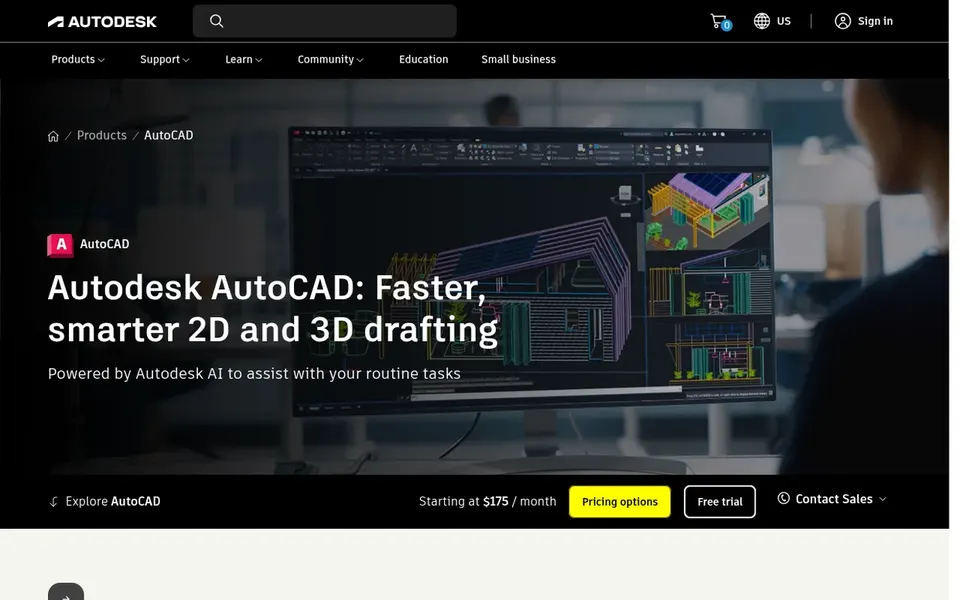
AutoCAD is built with DWG collaboration and precise 2D drafting in mind. AutoCAD is a widely used CAD system for precise 2D drafting and design. It supports DWG files natively, making it simple to collaborate with engineers, architects, and other consultants.
Landscape designers commonly use AutoCAD for base plans and construction details, then add planting and irrigation information with custom blocks or extras. It also needs a solid understanding of CAD principles. Check the vendor site for AutoCAD pricing; none is listed in this comparison. As for free access: Not stated.
What to check first: Needs customization for planting plans.
PRO Landscape is designed for client presentations and photo imaging. The AI features, though useful, may take time to learn.
Trade-offs to know: AI features may need learning.
Pick PRO Landscape when client-facing visuals and quick presentations are your priority. Also, Whereas PRO Landscape comes with CAD tools, it may not match the documentation depth of dedicated CAD systems for complicated construction drawings. Pricing for PRO Landscape is not stated here, so ask the vendor for current figures. Free access: Not stated.
Best for: Professional landscape design and documentation
Vectorworks Landmark is aimed squarely at professional landscape design and documentation. It suits landscape architects and design businesses that require a single application to manage design, documentation, and client presentations.
Where it falls short: Steeper ramp-up time.
Worth adding: choose Vectorworks Landmark when you need integrated 3D visualization and in-depth construction documentation in one package. This comparison lists no price for Vectorworks Landmark; ask the vendor. Free plan details: Not stated.
Best for: Vector illustration and presentation graphics
In short, CorelDRAW is for vector illustration and presentation graphics. CorelDRAW is a graphic design and vector illustration suite that some landscape designers use for presentation boards, diagrams, and custom graphics. Choose CorelDRAW if you need an adaptable vector design tool alongside your primary landscape software.
Also, the software is not landscape-specific but can be handy for creating refined visuals and marketing materials. CorelDRAW lacks the drafting precision and plant libraries needed for technical landscape plans, so it is not a substitute for CAD. This comparison lists no price for CorelDRAW; ask the vendor. On free options: Not stated.
Where it falls short: Lacks plant libraries and scaling tools.
Ask Land F/X, AutoCAD, PRO Landscape and others for a written quote, since no starting price is shown.
Take the trial from DynaSCAPE and push a live task through it before you pay.
Before choosing DynaSCAPE, weigh its main limit: business features may be unnecessary for solo designers.
Look at the renewal terms for Land F/X: auto-renewal, notice periods and price changes can matter more than the first-year price.
Compare total cost, not headline price: for AutoCAD, add extra seats, add-ons and any usage-based charges.
How we picked
Selection started from tools commonly considered for 2D landscape design software, then narrowed to 6 that have clear pricing information or a clear quote process. Treat prices as a snapshot: vendors change plans often, so check the vendor site for the figure that applies today. The ranking is editorial: typical fit first, then clear pricing, then free access. If your needs are unusual, read the profiles rather than relying on position.
Every price and plan detail on this page comes from the vendors’ own websites. We did not run hands-on tests unless the text says so, and we do not publish star ratings or review scores. See how we score and our disclosure.
Keep your shortlist in one place
Paste prices, trial dates and notes from this guide into Ainotely, our AI note app. It files them into a topic and pulls out tasks like “cancel trial by Friday”. Free 7-day trial, no card needed.
What is the best 2D landscape design software for professionals?
For most readers this guide would start with DynaSCAPE, built for design and business management integration. Land F/X is the alternative for Landscape-specific CAD plugins and tools, and AutoCAD for DWG collaboration and precise 2D drafting. The right answer depends on budget and workflow.
What is the cheapest option for 2D landscape design software in this list?
On published monthly entry prices, DynaSCAPE is the lowest here at $48 per month. Entry price is only part of the cost, because seats, add-ons and billing terms can change the total.
Can I use general CAD software for landscape design?
You can add landscape-specific plugins for example Land F/X to extend its capabilities. Dedicated landscape software frequently saves time on repetitive tasks.
Is DynaSCAPE the right pick for everyone comparing 2D landscape design software?
No single tool suits every team. DynaSCAPE comes first because it fits design and business management integration, while Land F/X suits Landscape-specific CAD plugins and tools and AutoCAD suits DWG collaboration and precise 2D drafting. Match the tool to your own size, budget and workflow before deciding.
Can I try these options before paying?
Often, yes. DynaSCAPE offers a free trial. Use your own data and a real task during the test, and check what the free tier or trial limits before you rely on it.
Which tool is a good match for client presentations?
DynaSCAPE comes first here and is built for design and business management integration. Buyers with other needs may prefer Land F/X (for Landscape-specific CAD plugins and tools) or AutoCAD (for DWG collaboration and precise 2D drafting). Compare costs and limits first.