ChatDOC comes first here, mainly for Summarizing long documents and explaining concepts. Listed starting prices: AskYourPDF from $11.99 per month. For a different need, DocuAsk covers automating chatbot creation from content and AskYourPDF covers PDF chat plus website chatbot creation. The full list of 6 tools follows, with prices and free plan facts.
Choosing AI tools for analyzing PDFs usually comes down to price, fit and limits. This Ainotely guide sets 6 tools side by side on those three points, with the facts kept short and checkable.
Key takeaways
ChatDOC takes the first slot, best suited to Summarizing long documents and explaining concepts.
The cheapest monthly starting price in the list is $11.99 per month, offered by AskYourPDF.
A free plan is available from 2 of the 6 tools: AskYourPDF, Humata AI.
For turning documents into a knowledge base, Humata AI is worth a look.
Before buying DocuAsk, weigh this: less concentrated on PDF-specific analysis.
Best for: Summarizing long documents and explaining concepts
Think of ChatDOC for Summarizing long documents and explaining concepts. It is aimed at users who require to extract insights from lengthy PDFs efficiently, like researchers, analysts, and students.
Worth adding: the tool emphasizes speed and clarity in document understanding. Check the vendor site for ChatDOC pricing; none is listed in this comparison. As for free access: Not stated.
Limits to weigh: May focus on summarization over deep Q&A.
Best for: Automating chatbot creation from content
Where DocuAsk fits: automating chatbot creation from content. The tool emphasizes simplicity and speed in deploying AI-powered assistants. DocuAsk is less concentrated on direct PDF analysis and more on chatbot creation.
So it may not be the best fit for pure document Q&A. It is well suited to those who want to build a chatbot from their content. Also, DocuAsk automates your chatbot creation process with AI, allowing you to rapidly produce chatbots from your past content. Pricing for DocuAsk is not stated here, so ask the vendor for current figures. Free plan details: Not stated.
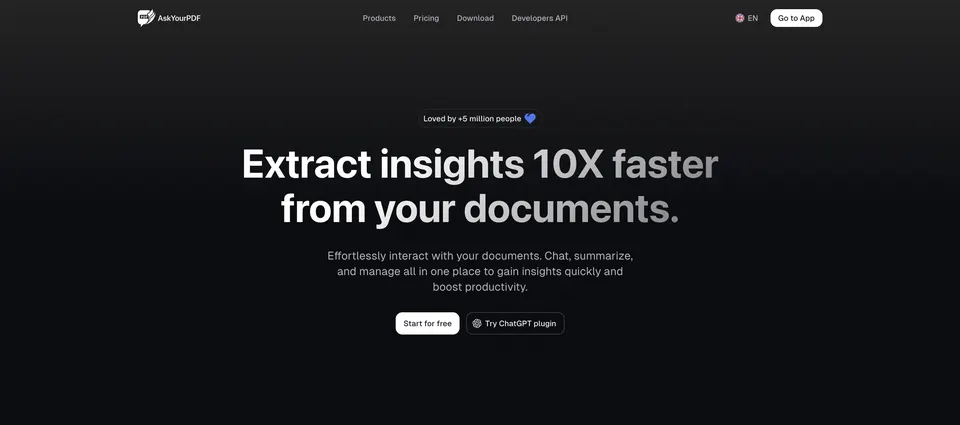
For PDF chat plus website chatbot creation, AskYourPDF is a natural candidate. AskYourPDF supplies an AI chatbot for your website trained on your content, along with PDF AI tools including chat with any PDF and an AI form filler.
The combination of PDF chat and chatbot creation makes it a versatile choice for content-driven workflows. AskYourPDF pricing: $11.99 per month. AskYourPDF has a free plan.
What to check first: Feature set may be overwhelming.
Best for: Trusted generative AI within Adobe Acrobat
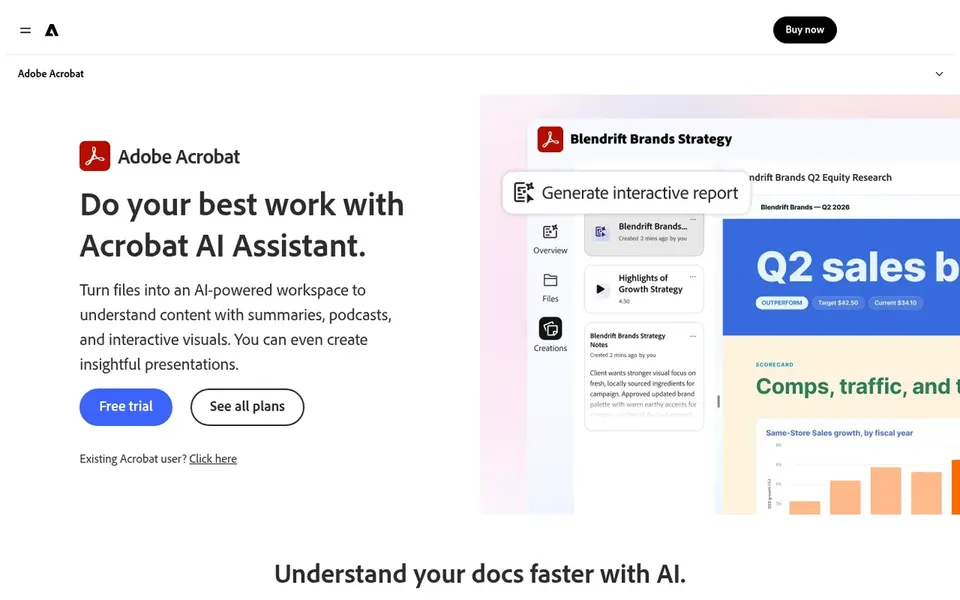
For trusted generative AI within Adobe Acrobat, Adobe Acrobat AI Assistant is a natural candidate. Adobe Acrobat AI Assistant is a generative AI document tool from Adobe that lets you ask questions about your PDFs and produce summaries.
Trade-offs to know: Concentrated on Adobe ecosystem.
Beyond that, the tool emphasizes trusted document reading and is suited to professionals who require steady PDF analysis as part of their regular workflow. Since it is tied to the Adobe Acrobat ecosystem, users outside that environment may find it less adaptable than standalone PDF chat tools. This comparison lists no price for Adobe Acrobat AI Assistant; ask the vendor. Free plan details: Not stated.
ChatPDF was built for ChatGPT-style chat with any PDF. ChatPDF brings ChatGPT-style intelligence to PDF analysis, allowing you to chat with any PDF to summarize, analyze, and understand its content. It is ideal for students, researchers, and professionals who want a straightforward conversational interface for document Q&A.
The main drawbacks: Restricted to PDF chat focus.
As a dedicated PDF chat tool, ChatPDF may lack broader document management or automation features. In practice, the tool concentrates on making PDF interaction feel like a natural chat. If you need form filling or website chatbots, look at more versatile choices. Pricing for ChatPDF is not stated here, so ask the vendor for current figures. Free plan details: Not stated.
Think of Humata AI for turning documents into a knowledge base. Humata AI is an AI agent that turns your documents into a quick, intelligent knowledge base for instant analysis, insights, and answers. It is well suited to teams and individuals who want to organize and query large document collections efficiently.
Beyond that, Humata may involve more setup to build a knowledge base compared with straightforward PDF chat tools. If you need fast, ad-hoc PDF chat, a lighter tool might be preferable. Humata AI shows no starting price here, so confirm the cost on the vendor site. Humata AI offers a free plan.
Trade-offs to know: Concentrated on analysis instead of chat.
Ask ChatDOC, DocuAsk, Adobe Acrobat AI Assistant and others for a written quote, since no starting price is shown.
Look at free plan limits closely: AskYourPDF and Humata AI have one, and the caps decide whether it is usable for real work.
Before choosing ChatDOC, weigh its main limit: may focus on summarization over deep Q&A.
See whether Humata AI offers onboarding or training, and whether it is included in the price.
Involve the people who will use ChatPDF daily; a short pilot beats a long feature checklist.
How we picked
We compared the tools on published pricing, free plan or trial availability, feature coverage for AI tools for analyzing PDFs, and the limits each vendor documents. Treat prices as a snapshot: vendors change plans often, so check the vendor site for the figure that applies today. The order reflects how well each tool fits the most common buying scenario for AI tools for analyzing PDFs, then price clarity, then free plan access. It is a starting point, not a verdict.
Every price and plan detail on this page comes from the vendors’ own websites. We did not run hands-on tests unless the text says so, and we do not publish star ratings or review scores. See how we score and our disclosure.
Keep your shortlist in one place
Paste prices, trial dates and notes from this guide into Ainotely, our AI note app. It files them into a topic and pulls out tasks like “cancel trial by Friday”. Free 7-day trial, no card needed.
The order follows typical fit for AI tools for analyzing PDFs, with ChatDOC first and Humata AI last, then price clarity and free access. It is editorial judgement, not a score, so another team could rank the tools differently.
Can I try these tools before paying?
Often, yes. AskYourPDF and Humata AI have a free plan. Use your own data and a real task during the test, and check what the free tier or trial limits before you rely on it.
What should I look for in an AI tool for analyzing PDFs?
Focus on the core features you need, for example chat-based Q&A, summarization, or data extraction. Checking vendor documentation for limits and supported formats helps ensure a solid fit.
How do these tools manage data privacy?
Data privacy policies vary by vendor, so review each tool's privacy statement before uploading sensitive documents. Look for clear information on data storage, retention, and whether documents are used for training.
Which AI tools for analyzing PDFs have a free plan?
On this list, AskYourPDF and Humata AI include a free plan. Caps on seats, usage or features are common, so test the free plan against your real workload. The 6 tool cards above repeat this per product for AI tools for Analyzing PDFs, with the listed price or "pricing on request".
What is the cheapest option for AI tools for analyzing PDFs in this list?
On published monthly entry prices, AskYourPDF is the lowest here at $11.99 per month. Entry price is only part of the cost, because seats, add-ons and billing terms can change the total. Each of the 6 options in this AI tools for Analyzing PDFs guide has its own card above with the price, free plan and limits.