Start with CoConstruct if you need custom home builders and remodelers. Listed starting prices: Fieldwire from $39 per user a month. Look at Contractor Foreman for all-in-one construction management on a budget, and at Fieldwire for live field task and punch list tracking. Details, prices and limits for the rest of the 6 tools are below.
Ainotely put together this guide to punch list software for construction contractors for readers who want a clear shortlist without reading every vendor page. It compares 6 tools on starting price, free plans, who each one suits and where each one falls short.
Key takeaways
CoConstruct is the opening pick, best for custom home builders and remodelers.
Fieldwire stands alone as the one tool in this list with a free plan.
For integrated project and punch list management, Procore is worth a look.
The cheapest monthly starting price in the list is $39 per user per month, offered by Fieldwire.
CoConstruct was built for custom home builders and remodelers. CoConstruct is construction management software that is now a unified brand with Buildertrend.
Trade-offs to know: May be overkill for straightforward task tracking.
For everyday use, CoConstruct is oriented toward residential work, so commercial contractors with complicated punch lists may find it less tailored. CoConstruct does not show a starting price in this comparison, so check the vendor site for current pricing. Free access: Not stated.
Best for: All-in-one construction management on a budget
Choose Contractor Foreman for all-in-one construction management on a budget. If punch lists are your primary need, Fieldwire or eSUB may offer more focused workflows.
Honest limits: May lack depth of enterprise systems.
For punch lists, it suits contractors who want a single tool to handle both field tasks and entry-level office workflows without juggling several systems. It spans estimates, scheduling, time cards, and invoicing. No starting price is listed for Contractor Foreman here; confirm pricing on the vendor site. As for free access: Not stated.
Where Fieldwire fits: live field task and punch list tracking. It lets teams track tasks, update drawings, and cut expensive rework. For punch lists, it suits field teams that require a straightforward way to assign and close out tasks straight from the jobsite.
Owners, general contractors, and subcontractors use it on plenty of projects. More specifically, Fieldwire centres on field workflows, so it may not include deeper back-office needs like accounting or estimating on its own. Fieldwire cost at the entry level: $39 per user per month. Free access exists with Fieldwire.
Best for: Subcontractor closeout and documentation
eSUB makes the most sense for subcontractor closeout and documentation. For punch lists, it suits subcontractors who require to track and document closeout tasks and share them with general contractors.
It helps keep field and office teams aligned on completion items. As for the details, if you need a product that spans the whole project, Procore or Autodesk Construction Cloud may be a better fit. eSUB is tailored to subcontractors, so general contractors may find it less thorough for overall project management. No starting price is listed for eSUB here; confirm pricing on the vendor site. Trial and free access: Not stated.
Limits to weigh: Concentrated on subcontractors, less for GCs.
Best for: Collaborative project closeout and document control
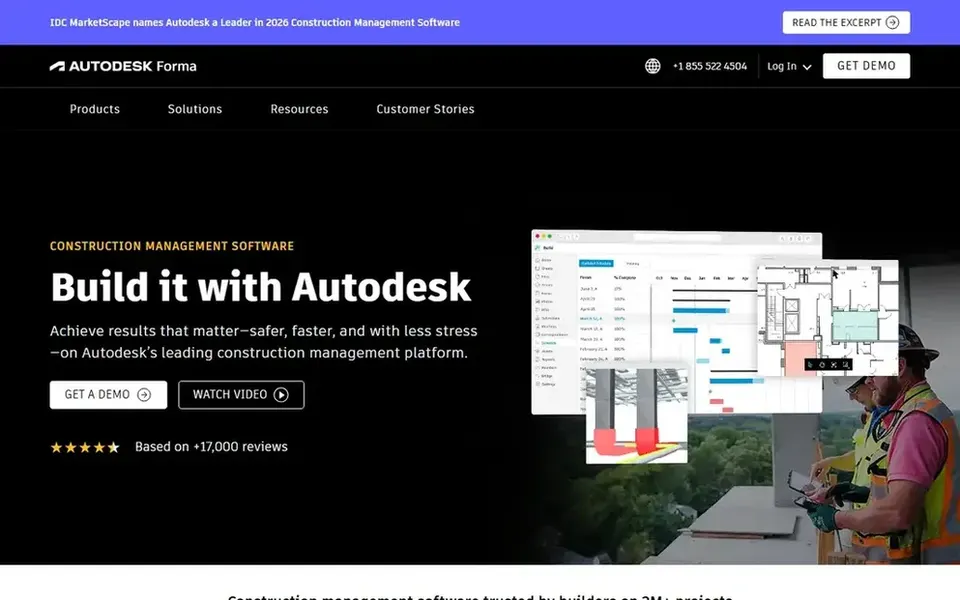
Autodesk Construction Cloud makes the most sense for collaborative project closeout and document control. Autodesk Construction Cloud, now under Autodesk Forma, is a construction management system that helps project teams collaborate securely and rapidly. It aims to help deliver projects on time and on budget.
As for the details, if you want a more straightforward field-first tool, consider Fieldwire or Contractor Foreman. Beyond that, for punch lists, it suits teams already using Autodesk tools who want closeout tasks connected to drawings and project documents. Autodesk Construction Cloud shows no starting price here, so confirm the cost on the vendor site. Free options: Not stated.
Downsides: Can be complicated for straightforward punch lists.
Best for: Integrated project and punch list management
Procore was built for integrated project and punch list management. Procore is a construction management product that links the site and the office. It offers live visibility so teams can deliver quality projects on time.
As for the details, the product is wide, so smaller contractors may find it heavier than needed for straightforward punch lists. Beyond that, if your central need is fast field task tracking without a full project management suite, a focused tool like Fieldwire may be a better fit. Procore shows no starting price here, so confirm the cost on the vendor site. On free options: Not stated.
Ask CoConstruct, Contractor Foreman, eSUB and others for a written quote, since no starting price is shown.
Look at the free plan from Fieldwire closely: its caps decide whether it is usable for real work.
Before choosing CoConstruct, weigh its main limit: less concentrated on large commercial punch lists.
Make sure Procore lets you export your data in a format another tool can read.
Confirm the exact CoConstruct plan that includes your must-have features.
How we picked
Pricing pages, product documentation and feature lists were the main sources, and every entry carries at least one honest drawback. Where a vendor does not publish a price, the entry says quote. Where a price depends on seats or billing term, the entry says so. Position on the page reflects fit for a typical buyer first, with price clarity and free access breaking ties. Treat it as a guide, not a ruling. This applies to all 6 punch list software for construction contractors options compared here.
Every price and plan detail on this page comes from the vendors’ own websites. We did not run hands-on tests unless the text says so, and we do not publish star ratings or review scores. See how we score and our disclosure.
Keep your shortlist in one place
Paste prices, trial dates and notes from this guide into Ainotely, our AI note app. It files them into a topic and pulls out tasks like “cancel trial by Friday”. Free 7-day trial, no card needed.
Often, yes. Fieldwire has a free plan. Use your own data and a real task during the test, and check what the free tier or trial limits before you rely on it. The 6 tool cards above repeat this per product for punch list software for construction contractors, with the listed price or "pricing on request".
Do these tools publish their prices?
Not all of them. CoConstruct, Contractor Foreman, eSUB and others publish no starting price, so expect a quote request for those. The rest, Fieldwire included, show a starting price, though seats and billing terms still change the final cost.
Is CoConstruct the right pick for everyone comparing punch list software for construction contractors?
No single tool suits every team. CoConstruct comes first because it fits custom home builders and remodelers, while Contractor Foreman suits all-in-one construction management on a budget and Fieldwire suits real-time field task and punch list tracking. Match the tool to your own size, budget and workflow before deciding.
How are the tools for punch list software for construction contractors ordered?
CoConstruct sits first and Procore last because the order follows typical fit for punch list software for construction contractors, then price clarity and free access. It is a judgement call, so read each profile for fit and limits.
Which punch list software is a good match for small contractors?
The first pick on this list is CoConstruct, because it suits custom home builders and remodelers. Contractor Foreman is better for all-in-one construction management on a budget, and Fieldwire for live field task and punch list tracking. Check price and limits against your own needs before choosing.