For familiar video meetings with wide features, Zoom is where this list starts. Listed starting prices: SimplePractice from $49 per month. GoTo Meeting is the stronger choice for straightforward web conferencing for sessions, while SimplePractice suits all-in-one HIPAA-compliant practice management. Details, prices and limits for the rest of the 5 tools are below.
Ainotely put together this guide to remote support software for therapists for readers who want a clear shortlist without reading every vendor page. It compares 5 tools on starting price, free plans, who each one suits and where each one falls short.
Key takeaways
This list starts with Zoom, which is built for familiar video meetings with wide features.
Only Cisco Webex offers a free plan among these 5 tools.
Cisco Webex suits enterprise-grade meetings and devices.
What to know about GoTo Meeting first: not tailored to behavioral health.
Best for: Familiar video meetings with wide features
Choose Zoom for familiar video meetings with wide features. Therapists who value a widely used, feature-rich meeting tool frequently start here. Its familiarity makes it simple for clients to join sessions without installing unfamiliar software.
Drawbacks to consider: General-purpose tool, not therapy-specific.
It can serve administrative calls and team meetings alongside client sessions. Zoom is a general collaboration product instead of a clinical system, so therapists must configure privacy settings and confirm that their use meets applicable requirements. It does not offer therapy records, notes or billing. This comparison lists no price for Zoom; ask the vendor. Trial and free access: Not stated.
Best for: Straightforward web conferencing for sessions
GoTo Meeting serves straightforward web conferencing for sessions. Confirm current features and security documentation on the vendor site. More specifically, GoTo Meeting is a web conferencing product concentrated on online meetings.
Its homepage flags a quality meeting experience with the features companies expect, which translates well to one-to-one client sessions and small administrative calls. It is a meeting product, not a clinical system, so records, notes, scheduling and billing must come from elsewhere, and privacy settings need review for therapeutic use. Practices that prefer one integrated system should weigh a behavioral health EHR. Pricing for GoTo Meeting is not stated here, so ask the vendor for current figures. Free access: Not stated.
Where it falls short: Not tailored to behavioral health.
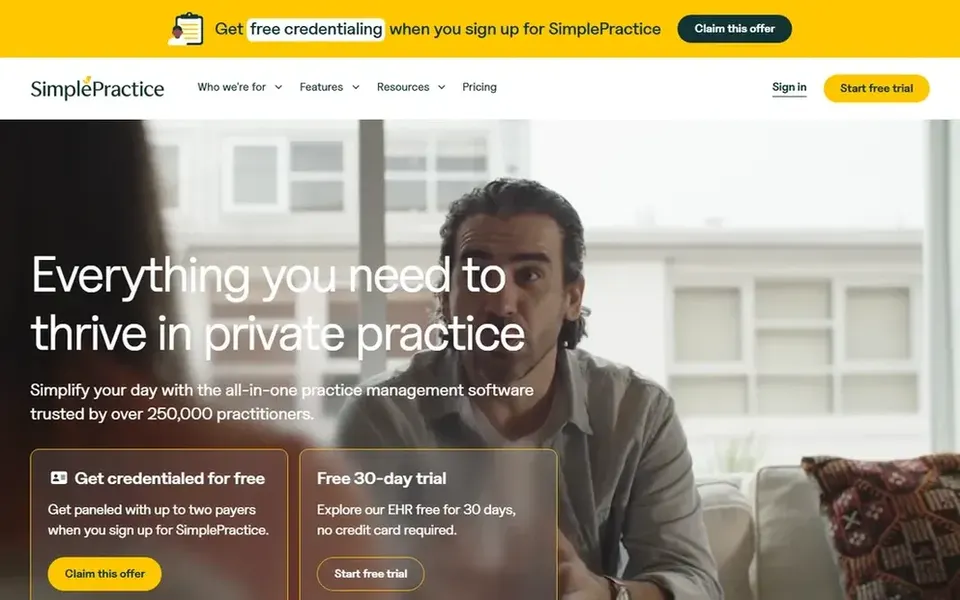
Best for: All-in-one HIPAA-compliant practice management
SimplePractice is built with all-in-one HIPAA-compliant practice management in mind. Confirm current feature details and compliance documentation on the vendor site before committing, since offerings evolve.
Where it falls short: Feature depth varies by practice needs.
It suits clinicians who want client documentation and video visits handled in a single place instead of stitching together separate tools for notes, appointments and meetings. Price to start with SimplePractice: $49 per month. Free options: Free trial.
Best for: Straightforward telehealth-only video sessions
Doxy.me is designed for simple telehealth-only video sessions. Doxy.me is a telehealth product built around secure video visits for providers. Its homepage emphasizes simplicity, with a fast sign-up and a browser-based approach to connecting with clients.
Watch-outs: Not a full EHR or billing system.
On top of that, clinicians with complicated administrative needs should compare it against full EHR systems. As a telehealth-first product, it does not replace documentation, scheduling or billing systems, so practices wanting one integrated product may have to pair it with other software. On top of that, verify current features and compliance statements on the vendor site. This comparison lists no price for Doxy.me; ask the vendor. Trial and free access: Not stated.
Cisco Webex serves enterprise-grade meetings and devices. Cisco Webex is a collaboration product offering meetings, calling, customer experience tools and devices, with AI features woven through.
Honest limits: Enterprise orientation may overwhelm solo practices.
No starting price is listed for Cisco Webex here; confirm pricing on the vendor site. Cisco Webex has a free plan. Upsides: calling and devices in one suite.
Confirm the entry price on the vendor page. For Zoom, GoTo Meeting, Doxy.me and Cisco Webex that means a quote rather than a fixed price.
Test the free plan from Cisco Webex against your real workload before relying on it.
Take the trial from SimplePractice and push a live task through it before you pay.
Read the limits listed for Zoom first: general-purpose tool, not therapy-specific.
Let daily users try Doxy.me on real work; their feedback beats any feature checklist.
Look at which plan of GoTo Meeting unlocks the features you need; entry tiers are often cut down.
How we picked
Pricing pages, product documentation and feature lists were the main sources, and every entry carries at least one honest drawback. Figures are shown as the vendors publish them. Billing terms, seat minimums and add-ons can change the real cost. Tools are placed by general fit for remote support software for therapists, with price clarity and free access as tie-breakers. A different team can reasonably rank them differently.
Every price and plan detail on this page comes from the vendors’ own websites. We did not run hands-on tests unless the text says so, and we do not publish star ratings or review scores. See how we score and our disclosure.
Keep your shortlist in one place
Paste prices, trial dates and notes from this guide into Ainotely, our AI note app. It files them into a topic and pulls out tasks like “cancel trial by Friday”. Free 7-day trial, no card needed.
How are the tools for remote support software for therapists ordered?
The order follows typical fit for remote support software for therapists, with Zoom first and Cisco Webex last, then price clarity and free access. It is editorial judgement, not a score, so another team could rank the tools differently.
What should I check before choosing remote support software?
Confirm the vendor's security and compliance documentation, how sessions are scheduled and joined, and whether records and billing are included. Also check device support for your clients. Verifying these details on the vendor site avoids surprises after you commit.
Can I try these tools before paying?
Often, yes. Cisco Webex has a free plan and SimplePractice offers a free trial. Use your own data and a real task during the test, and check what the free tier or trial limits before you rely on it.
Do therapists need a therapy-specific product for remote sessions?
General meeting tools can work if you configure privacy settings carefully and manage documentation separately. Weigh how much administration you want in a single place.
Is a telehealth-only tool enough for a solo practice?
A telehealth-focused system can be enough if your documentation and billing are handled elsewhere. From a buyer's view, if you want one integrated system, a full practice management system is normally the better fit.
Do these tools publish their prices?
Not all of them. Zoom, GoTo Meeting, Doxy.me and Cisco Webex publish no starting price, so expect a quote request for those. The rest, SimplePractice included, show a starting price, though seats and billing terms still change the final cost.