Start with Camtasia if you need refined tutorials and training videos. Listed starting prices: Loom from $18 per user a month. If your case is different, Vimeo suits video hosting and sharing for teams and ScreenPal suits easy-to-learn capture, creation, and sharing. Prices, free plans and limits for all 5 tools follow.
Short on time? The summary and table above give the quick view of 5 screen and video capture software for remote teams, and the profiles that follow give the detail behind each entry.
Key takeaways
Top of the list is Camtasia, which targets refined tutorials and training videos.
For video for virtual sales and marketing teams, Vidyard is worth a look.
A fair warning about Vimeo: not a screen capture tool.
A free plan is available from 3 of the 5 tools: Vimeo, Loom, Vidyard.
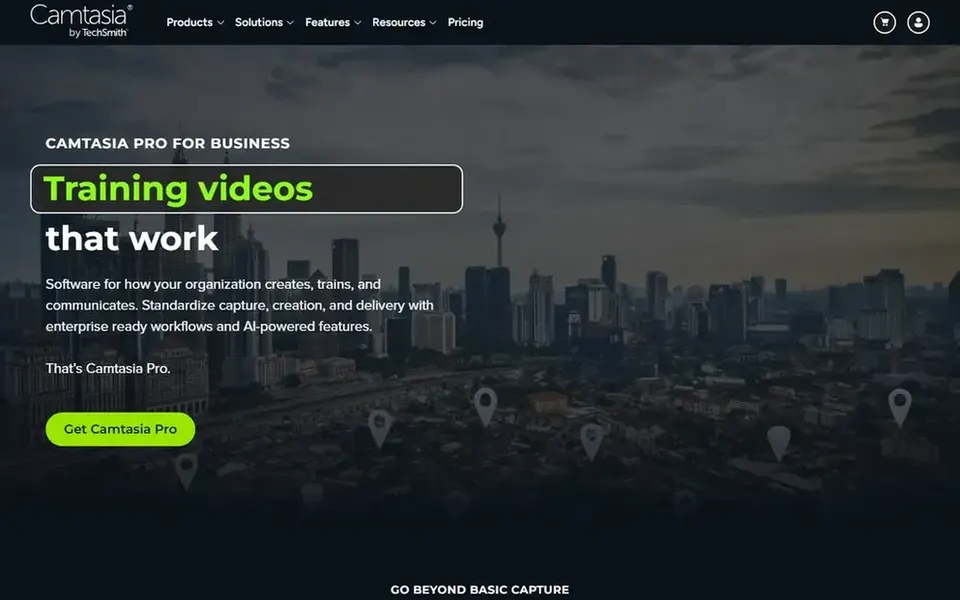
Camtasia targets refined tutorials and training videos. Camtasia merges screen recording with a video editor geared toward creating professional tutorials, training videos, and software demos.
Watch-outs: Editing workflow can be complicated for beginners.
Worth adding: teams that primarily need short async updates may find a lighter tool more efficient. Camtasia involves a steeper ramp-up time and is not the fastest choice for fast ad hoc recordings. Pricing for Camtasia is not stated here, so ask the vendor for current figures. On free options: Not stated.
Vimeo makes the most sense for video hosting and sharing for teams. Vimeo is a video hosting and sharing system where users can watch and distribute videos. From a buyer's view, choose Vimeo when hosting, playback, and sharing are the priority after recording is complete.
Limits to weigh: Needs separate recording workflow.
Also, the homepage emphasizes free videos, films, and shorts streaming in HD without ads, reflecting its strength as a viewing and distribution product. It is not a replacement for a capture utility. This comparison lists no price for Vimeo; ask the vendor. Free access exists with Vimeo.
Best for: Easy-to-learn capture, creation, and sharing
ScreenPal makes the most sense for easy-to-learn capture, creation, and sharing. ScreenPal performs well for teams prioritizing simplicity over broad production control.
Where it is weaker: Less specialized than niche tools.
For highly refined productions or live broadcasting, a more specialized tool is a better fit. More specifically, the homepage flags authentic and effective visual communication, making it right for async updates and light tutorials. Pricing for ScreenPal is not stated here, so ask the vendor for current figures. Free options: Not stated.
Best for: Fast asynchronous screen recordings and sharing
In short, Loom is for fast asynchronous screen recordings and sharing. For straightforward recording and sharing, Loom remains a solid starting point for most remote teams.
Loom cost at the entry level: $18 per user per month. Loom has a free plan.
What to check first: Advanced production features are restricted.
Best for: Video for virtual sales and marketing teams
Vidyard serves video for virtual sales and marketing teams. Consider Vidyard when video is part of a sales or marketing workflow rather than everyday screen sharing. Vidyard is not primarily a screen capture utility, so teams seeking fast recordings may find it indirect.
Honest limits: Less concentrated on general screen capture.
It also may be more than small teams need for entry-level async updates. As for the details, Vidyard is an online video product for business that supports virtual sales and marketing teams. Vidyard shows no starting price here, so confirm the cost on the vendor site. You can start on Vidyard without paying.
Ask Camtasia, Vimeo, ScreenPal and Vidyard for a written quote, since no starting price is shown.
Look at free plan limits closely: Vimeo, Loom and Vidyard have one, and the caps decide whether it is usable for real work.
Read the limits listed for Camtasia first: editing workflow can be complicated for beginners.
Check the integration list for Loom against the tools you run today, and note which ones need a higher plan.
Verify that exporting from ScreenPal is possible on your plan and covers all your records.
How we picked
Ainotely looked at what each vendor publishes: pricing, plan limits, feature coverage for screen and video capture software for remote teams and stated drawbacks. No hands-on testing is claimed. Where a vendor does not publish a price, the entry says quote. Where a price depends on seats or billing term, the entry says so. Position on the page reflects fit for a typical buyer first, with price clarity and free access breaking ties. Treat it as a guide, not a ruling.
Every price and plan detail on this page comes from the vendors’ own websites. We did not run hands-on tests unless the text says so, and we do not publish star ratings or review scores. See how we score and our disclosure.
Keep your shortlist in one place
Paste prices, trial dates and notes from this guide into Ainotely, our AI note app. It files them into a topic and pulls out tasks like “cancel trial by Friday”. Free 7-day trial, no card needed.
Not all of them. Camtasia, Vimeo, ScreenPal and Vidyard publish no starting price, so expect a quote request for those. The rest, Loom included, show a starting price, though seats and billing terms still change the final cost.
What is the cheapest option for screen and video capture software for remote teams in this list?
On published monthly entry prices, Loom is the lowest here at $18 per user per month. Entry price is only part of the cost, because seats, add-ons and billing terms can change the total. The 5 tool cards above repeat this per product for screen and video capture software for remote teams, with the listed price or "pricing on request".
Is Camtasia the right pick for everyone comparing screen and video capture software for remote teams?
No single tool suits every team. Camtasia comes first because it fits polished tutorials and training videos, while Vimeo suits video hosting and sharing for teams and ScreenPal suits intuitive capture, creation, and sharing. Match the tool to your own size, budget and workflow before deciding.
How are the tools for screen and video capture software for remote teams ordered?
The order follows typical fit for screen and video capture software for remote teams, with Camtasia first and Vidyard last, then price clarity and free access. It is editorial judgement, not a score, so another team could rank the tools differently.
What is the best screen capture tool for fast remote team updates?
Camtasia comes first here and is built for refined tutorials and training videos. Buyers with other needs may prefer Vimeo (for video hosting and sharing for teams) or ScreenPal (for easy-to-learn capture, creation, and sharing). Compare costs and limits first.