For adaptable enterprise video options, Lifesize is where this list starts. Pexip fits secure video communications; Microsoft Teams fits Microsoft 365 integration. The other 3 tools in the list cover narrower or pricier cases.
Choosing video conferencing software for enterprise usually comes down to price, fit and limits. This Ainotely guide sets 6 tools side by side on those three points, with the facts kept short and checkable.
Key takeaways
Lifesize sits first on this list: adaptable enterprise video options.
Only Cisco Webex Meetings offers a free plan among these 6 tools.
Lifesize, RingCentral Video and the 4 others all sell by quote; expect sales conversations before you see a price.
The main caution on Microsoft Teams: best experience needs Microsoft 365.
In short, Lifesize is for adaptable enterprise video options. It is pitched at organizations seeking to raise corporate communication through thorough video capabilities. Organizations looking for tight integration with productivity suites might prefer alternatives.
Drawbacks to consider: May need specialized setup.
It remains a solid choice for enterprises prioritizing adaptable, full video communications. On top of that, the product fits enterprises that require a dedicated video option with choices for different deployment scenarios. Lifesize shows no starting price here, so confirm the cost on the vendor site. Free options: Not stated.
Pexip makes the most sense for secure video communications. Pexip gives you a video technology system centred on secure video communications.
What to check first: May need technical expertise.
It is made for enterprises that prioritize security and control over their video meetings. From a buyer's view, Pexip is less centred on the wide collaboration features found in suite-based products, and deploying it may need technical expertise. Pricing for Pexip is not stated here, so ask the vendor for current figures. Trial and free access: Not stated.
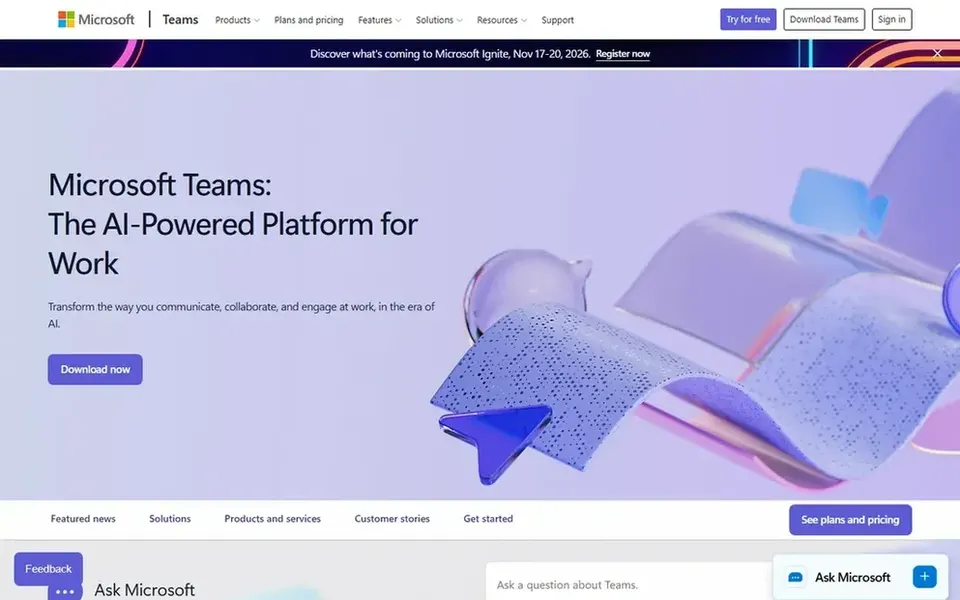
Microsoft Teams is aimed squarely at Microsoft 365 integration. Microsoft Teams is a collaboration hub that merges video conferencing, meetings, calling, and file sharing in one place. It is aimed at organizations that use Microsoft 365, as tools and files are always available within the same workspace.
The main drawbacks: Interface can feel dense for new users.
Worth adding: consider alternatives if deep Microsoft integration is not a priority. Beyond that, the interface packs plenty of features, which can need training for users accustomed to more straightforward meeting tools. Microsoft Teams shows no starting price here, so confirm the cost on the vendor site. On free options: Not stated.
Think of Cisco Webex Meetings for AI-powered collaboration and devices. Cisco Webex Meetings is part of a broader AI-powered collaboration system that comes with customer experience, devices, and product options.
For everyday use, Webex is most advantageous when integrated with other Cisco options, and the breadth of the system can add administrative overhead. In daily use, organizations without Cisco infrastructure may find the setup and management more involved than standalone meeting tools. Cisco Webex Meetings shows no starting price here, so confirm the cost on the vendor site. You can start on Cisco Webex Meetings without paying.
Drawbacks to consider: May be complicated to configure.
Choose Zoom Workplace for all-in-one collaboration suite. Organizations that only need entry-level meetings may find a more straightforward tool sufficient, whereas those heavily invested in another ecosystem might prefer a product native to their existing productivity suite.
What to check first: Needs extras for full phone and contact center.
Zoom Workplace is a collaboration system that brings video meetings, chat, VoIP phone, webinars, whiteboard, contact center, and events into one environment. Zoom Workplace shows no starting price here, so confirm the cost on the vendor site. Free plan details: Not stated.
RingCentral Video makes the most sense for AI meeting recaps and transcripts. RingCentral Video is video conferencing software that comes with live transcripts and AI recaps of decisions and action items. Enterprises centred on documentation and follow-through may find these features valuable.
Trade-offs to know: Less emphasis on hardware devices.
In daily use, organizations needing a full suite with phone and contact center may have to explore broader RingCentral offerings. Some capabilities may need contacting sales for details, and the product is less centred on integrated meeting room hardware than some competitors. Pricing for RingCentral Video is not stated here, so ask the vendor for current figures. Free plan details: Not stated.
Ask each vendor, from Lifesize to RingCentral Video, for a written quote; none of them publishes a starting price.
Test the free plan from Cisco Webex Meetings against your real workload before relying on it.
Before choosing Lifesize, weigh its main limit: less emphasis on AI features.
Work out what Pexip costs with your real seat count, add-ons and usage, not just the entry price.
Let daily users try RingCentral Video on real work; their feedback beats any feature checklist.
How we picked
Selection started from tools commonly considered for video conferencing software for enterprise, then narrowed to 6 that have clear pricing information or a clear quote process. Plan names, prices and limits change often. Treat the figures here as a starting point and verify them with the vendor. The order reflects how well each tool fits the most common buying scenario for video conferencing software for enterprise, then price clarity, then free plan access. It is a starting point, not a verdict.
Every price and plan detail on this page comes from the vendors’ own websites. We did not run hands-on tests unless the text says so, and we do not publish star ratings or review scores. See how we score and our disclosure.
Keep your shortlist in one place
Paste prices, trial dates and notes from this guide into Ainotely, our AI note app. It files them into a topic and pulls out tasks like “cancel trial by Friday”. Free 7-day trial, no card needed.
What makes video conferencing software right for enterprise use?
Enterprise video conferencing software generally supplies solid security, administrative controls, integration with productivity tools, and support for large meetings. It should also supply steady performance and choices for managing numerous users across an organization.
How are the tools for video conferencing software for enterprise ordered?
The order follows typical fit for video conferencing software for enterprise, with Lifesize first and RingCentral Video last, then price clarity and free access. It is editorial judgement, not a score, so another team could rank the tools differently.
Is Lifesize the right pick for everyone comparing video conferencing software for enterprise?
No single tool suits every team. Lifesize comes first because it fits flexible enterprise video solutions, while Pexip suits secure video communications and Microsoft Teams suits Microsoft 365 integration. Match the tool to your own size, budget and workflow before deciding.
Which options for video conferencing software for enterprise have a free plan?
Cisco Webex Meetings is the only tool in this list with a free plan. Free plans usually cap users, projects or features, so check the limits on the vendor page. The 6 tool cards above repeat this per product for video Conferencing software for enterprise, with the listed price or "pricing on request".
Do these tools publish their prices?
No. None of the tools, from Lifesize to RingCentral Video, shows a fixed starting price here, so budget time for quotes.