This list puts Ansys HFSS first for high-frequency component and antenna design. Look at Altair WinProp for Radio propagation and wireless planning, and at Ekahau AI Pro for Wi-Fi design, heatmapping and troubleshooting. The remaining 2 options are covered below with prices and limits.
Ainotely put together this guide to iBwave for readers who want a clear shortlist without reading every vendor page. It compares 5 tools on starting price, free plans, who each one suits and where each one falls short.
Key takeaways
Ansys HFSS sits first on this list: high-frequency component and antenna design.
Pricing across the list, from Ansys HFSS to Remcom XFdtd, is by quote only.
None of the 5 tools, from Ansys HFSS to Remcom XFdtd, has a free plan, so budget for a subscription or use a trial.
One limit worth knowing about Dassault Systèmes SIMULIA CST Studio Suite: steeper ramp-up time than network tools.
For 3D electromagnetic modeling with FDTD, Remcom XFdtd is worth a look.
Best for: High-frequency component and antenna design
Ansys HFSS targets high-frequency component and antenna design. In this comparison it represents the deep-simulation end of iBwave alternatives, where accuracy on small structures matters more than building-level coverage. HFSS is oriented to component and package design, not wireless network planning or site surveys.
Limits to weigh: Needs simulation expertise.
It carries a substantial ramp-up time and modeling overhead. As for the details, if your goal is indoor coverage and heatmapping, a network-focused tool is the more practical choice. Pricing for Ansys HFSS is not stated here, so ask the vendor for current figures. As for free access: Not stated.
Altair WinProp was built for Radio propagation and wireless planning. Altair WinProp is a radio propagation and wireless planning tool, and Altair is now part of Siemens based on its homepage. As for the details, since vendor information on the homepage is brief, confirm current module details and system direction straight with the vendor.
It is a specialist propagation tool, so teams wanting straightforward heatmaps may find it heavier than needed. In daily use, check fit carefully if your work is largely Wi-Fi operations. Check the vendor site for Altair WinProp pricing; none is listed in this comparison. Trial and free access: Not stated.
Where it is weaker: Homepage details are restricted.
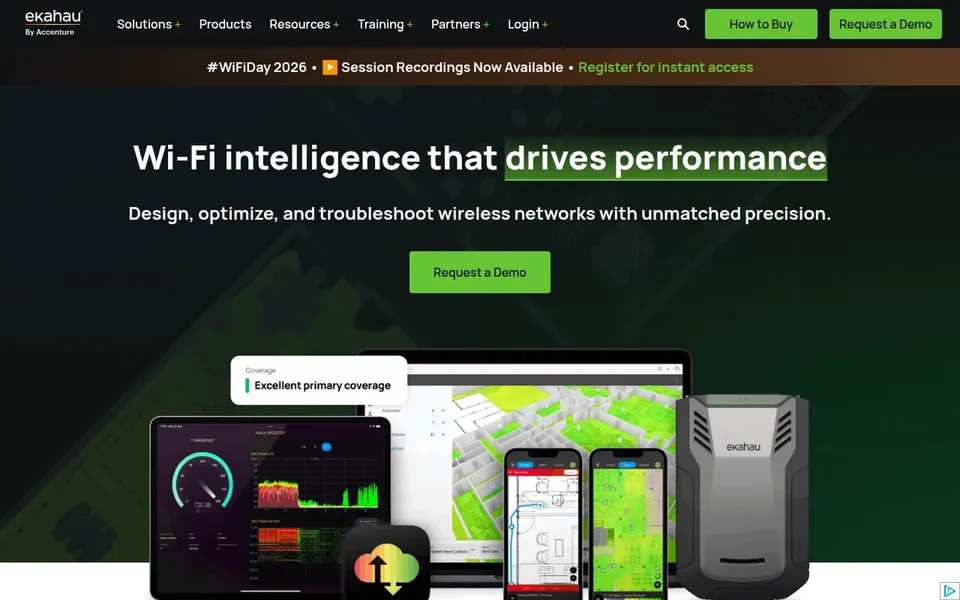
Best for: Wi-Fi design, heatmapping and troubleshooting
Ekahau AI Pro is aimed squarely at Wi-Fi design, heatmapping and troubleshooting. If your work centers on Wi-Fi instead of antenna or circuit physics, this is the closest practical swap for plenty of iBwave use cases. Its scope is Wi-Fi and wireless network operations, so it is not a full-wave 3D electromagnetic solver for antenna or PCB design.
Choose something else when the project is primarily RF hardware modeling instead of network planning. For everyday use, teams needing rigorous EM simulation of components should pair it with a dedicated solver. Ekahau AI Pro shows no starting price here, so confirm the cost on the vendor site. Free options: Not stated.
Where it falls short: Centred on Wi-Fi instead of general EM.
Best for: High-performance 3D electromagnetic analysis
Dassault Systèmes SIMULIA CST Studio Suite works best for high-performance 3D electromagnetic analysis. Dassault Systèmes SIMULIA CST Studio Suite is described as a high-performance 3D EM analysis package for designing, analyzing and optimizing electromagnetic components and systems. In practice, expect a modeling-oriented interface that rewards users with simulation background.
Limits to weigh: Steeper ramp-up time than network tools.
From a buyer's view, the tool is aimed at EM simulation, so it does not replace daily Wi-Fi survey and heatmapping workflows. If you primarily need coverage visualization, a network-focused tool is a better fit. No starting price is listed for Dassault Systèmes SIMULIA CST Studio Suite here; confirm pricing on the vendor site. Free access: Not stated.
In short, Remcom XFdtd is for 3D electromagnetic modeling with FDTD. Within an iBwave alternatives list, it serves teams whose needs lean toward EM component simulation instead of building coverage. XFdtd is an EM solver, so it does not supply Wi-Fi heatmaps or network troubleshooting.
It demands careful model setup and simulation knowledge. Choose a network design tool if your primary task is planning indoor wireless coverage. Remcom XFdtd shows no starting price here, so confirm the cost on the vendor site. Trial and free access: Not stated.
Request quotes from Ansys HFSS, Remcom XFdtd and the others; the list shows no fixed prices.
Before choosing Ansys HFSS, weigh its main limit: not built for coverage planning.
Find out whether the entry plan of Dassault Systèmes SIMULIA CST Studio Suite covers your must-haves or only a trimmed-down version.
Check whether Remcom XFdtd bills monthly or annually, and what cancelling early costs.
Ask Altair WinProp how an export works before you move any records in; an easy exit lowers the risk.
How we picked
Selection started from tools commonly considered for iBwave, then narrowed to 5 that have clear pricing information or a clear quote process. Treat prices as a snapshot: vendors change plans often, so check the vendor site for the figure that applies today. The order reflects how well each tool fits the most common buying scenario for iBwave, then price clarity, then free plan access. It is a starting point, not a verdict.
Every price and plan detail on this page comes from the vendors’ own websites. We did not run hands-on tests unless the text says so, and we do not publish star ratings or review scores. See how we score and our disclosure.
Keep your shortlist in one place
Paste prices, trial dates and notes from this guide into Ainotely, our AI note app. It files them into a topic and pulls out tasks like “cancel trial by Friday”. Free 7-day trial, no card needed.
The order follows typical fit for iBwave, with Ansys HFSS first and Remcom XFdtd last, then price clarity and free access. It is editorial judgement, not a score, so another team could rank the tools differently.
Does any tool for iBwave here have a free plan?
A permanent free plan is not offered by Ansys HFSS, Remcom XFdtd or the other tools here. Plan a short evaluation period instead.
Do these tools publish their prices?
No. None of the tools, from Ansys HFSS to Remcom XFdtd, shows a fixed starting price here, so budget time for quotes.
Is Ansys HFSS the right pick for everyone comparing iBwave?
No single tool suits every team. Ansys HFSS comes first because it fits high-frequency component and antenna design, while Altair WinProp suits Radio propagation and wireless planning and Ekahau AI Pro suits Wi-Fi design, heatmapping and troubleshooting. Match the tool to your own size, budget and workflow before deciding.
How should I evaluate these tools before buying?
Ask vendors about training and support for your team's skill level. Also, confirm all current details directly with each vendor before committing.
What is the closest iBwave alternative for indoor Wi-Fi design?
Ekahau AI Pro is the most direct fit for plenty of teams since it handles Wi-Fi design, optimization, spectrum analysis and heatmapping. In practice, confirm its current feature set on the vendor site.