For self-hosted and air-gapped environments, Mattermost is where this list starts. Listed starting prices: Slack from $4.38 per user a month. For a different need, Cisco Webex App covers AI-powered collaboration at scale and Google Chat covers Google Workspace collaboration. The full list of 6 tools follows, with prices and free plan facts.
Ainotely compared 6 chat software for DevOps teams. The goal is a practical shortlist: published prices, free plan facts, best-fit use cases and honest limits for every entry.
Key takeaways
Number one here is Mattermost, a fit for self-hosted and air-gapped environments.
Cisco Webex App, Slack: these are the 2 tools out of 6 that offer a free plan.
Starting prices begin at $4.38 per user per month with Slack.
Rocket.Chat is the one to check for defense and government collaboration.
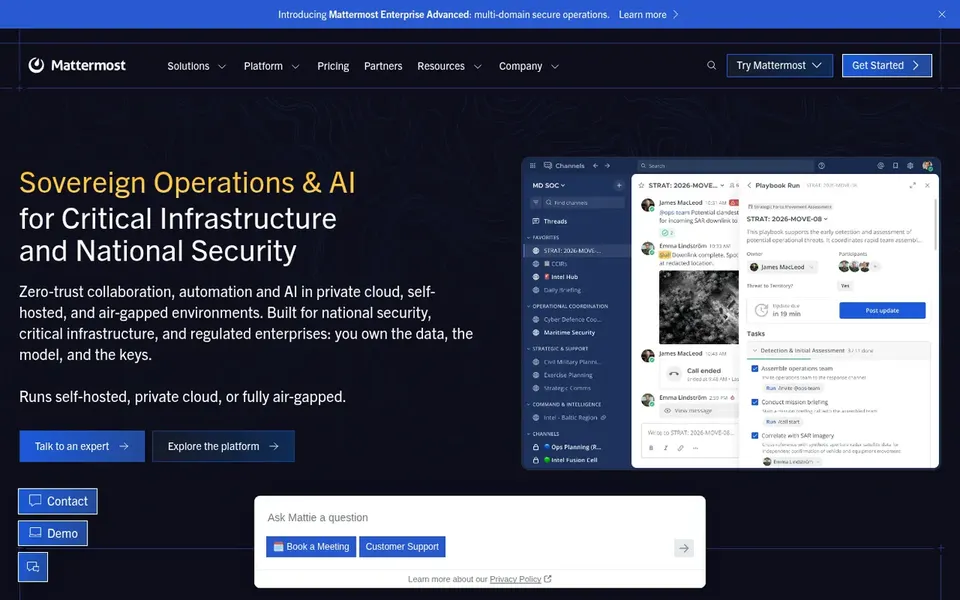
Pick Mattermost if this describes you: self-hosted and air-gapped environments. It gives you zero-trust collaboration, automation and AI in private cloud, self-hosted and air-gapped environments, making it a fit for DevOps teams with strict control requirements.
In practice, running Mattermost means taking on more operational responsibility than with a hosted product, which can be a burden for small teams without dedicated infrastructure staff. Pricing for Mattermost is not stated here, so ask the vendor for current figures. Trial and free access: Not stated.
Limits to weigh: Setup can be involved for small teams.
Cisco Webex App is built with AI-powered collaboration at scale in mind. Cisco Webex App provides AI-powered collaboration, customer experience, devices and system options.
Trade-offs to know: Full value relies on Cisco ecosystem.
As for the details, Teams seeking a light, standalone chat tool may prefer a more straightforward choice. In practice, the product provides the most value when paired with Cisco hardware and services, and configuration can be involved. Cisco Webex App shows no starting price here, so confirm the cost on the vendor site. Cisco Webex App offers a free plan.
In short, Google Chat is for Google Workspace collaboration. Google Chat helps individuals, groups and companies link and collaborate with secure messaging and features from Google Workspace.
It suits DevOps teams that already depend on Google Workspace for documents, email and scheduling and want chat to sit alongside those tools. Google Chat shows no starting price here, so confirm the cost on the vendor site. On free options: Not stated.
Zoom Team Chat was built for Teams already using Zoom Workplace. It fits DevOps teams that already run meetings and incident calls through Zoom and want chat in the same environment.
Best features of Zoom Team Chat: Instant messaging inside Zoom Workplace.
Drawbacks to consider: Chat features tied to Zoom ecosystem.
As for the details, Chat capabilities are closely tied to the Zoom ecosystem, and complicated automation may need extra tooling. No starting price is listed for Zoom Team Chat here; confirm pricing on the vendor site. As for free access: Not stated.
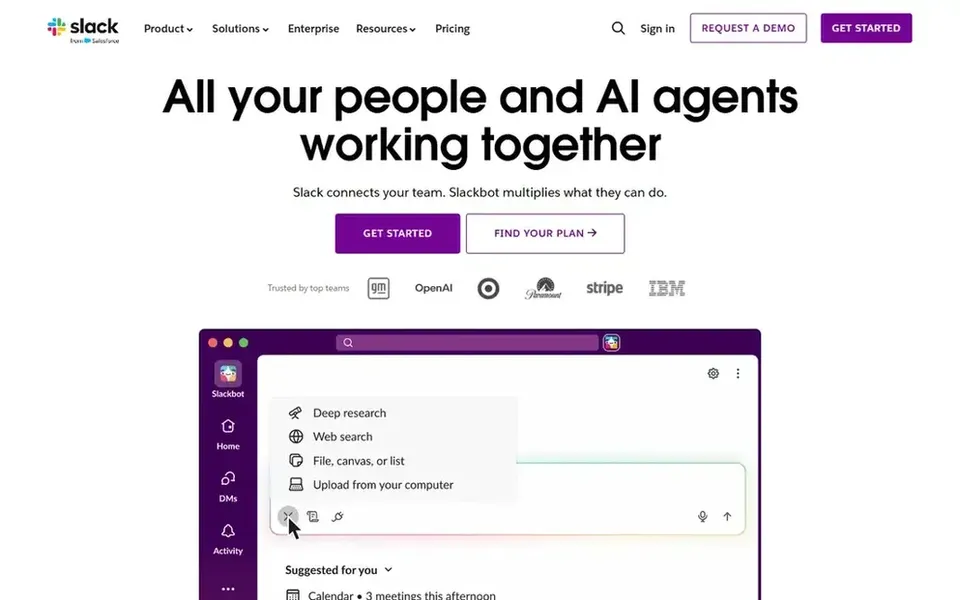
Where Slack fits: automation-heavy engineering workflows. Slack is an AI work product that merges messaging with project management and workflow automation.
Points against: Can become noisy without channel discipline.
As for the details, if you need self-hosted or air-gapped deployment, a system made for private infrastructure may be a better fit. What you pay to start with Slack: $4.38 per user per month. Free access exists with Slack.
Pick Rocket.Chat if this describes you: defense and government collaboration. Rocket.Chat is a secure collaboration system for defense and government that merges messaging, voice, video and governed AI.
Teams without cross-agency or governed AI requirements may find a more straightforward chat tool sufficient. This comparison lists no price for Rocket.Chat; ask the vendor. As for free access: Not stated.
Watch-outs: Feature set can be complicated to administer.
Get a written quote from Mattermost, Cisco Webex App, Google Chat and others; the list shows no starting price for them.
Look at free plan limits closely: Cisco Webex App and Slack have one, and the caps decide whether it is usable for real work.
Read the limits listed for Mattermost first: needs more operational ownership.
Read the plan comparison for Google Chat carefully; key features often start on a higher tier.
Add up seats, add-ons and usage charges for Rocket.Chat before comparing it with cheaper entries.
How we picked
Ainotely looked at what each vendor publishes: pricing, plan limits, feature coverage for chat software for DevOps teams and stated drawbacks. No hands-on testing is claimed. Figures are shown as the vendors publish them. Billing terms, seat minimums and add-ons can change the real cost. The order reflects how well each tool fits the most common buying scenario for chat software for DevOps teams, then price clarity, then free plan access. It is a starting point, not a verdict.
Every price and plan detail on this page comes from the vendors’ own websites. We did not run hands-on tests unless the text says so, and we do not publish star ratings or review scores. See how we score and our disclosure.
Keep your shortlist in one place
Paste prices, trial dates and notes from this guide into Ainotely, our AI note app. It files them into a topic and pulls out tasks like “cancel trial by Friday”. Free 7-day trial, no card needed.
Is Mattermost the right pick for everyone comparing chat software for DevOps teams?
No single tool suits every team. Mattermost comes first because it fits self-hosted and air-gapped environments, while Cisco Webex App suits AI-powered collaboration at scale and Google Chat suits Google Workspace collaboration. Match the tool to your own size, budget and workflow before deciding.
Is self-hosted chat necessary for DevOps?
Self-hosting is important when you have strict data control, air-gapped or regulated requirements. Teams without those constraints may prefer a managed service to cut operational overhead.
Do these tools publish their prices?
Not all of them. Mattermost, Cisco Webex App, Google Chat and others publish no starting price, so expect a quote request for those. The rest, Slack included, show a starting price, though seats and billing terms still change the final cost.
What should DevOps teams look for in chat software?
Prioritize automation and integrations with your engineering tools, secure collaboration controls, and deployment choices that match your infrastructure. Also consider how easily the system deals with alerts and incident workflows.
Can chat software replace separate alerting tools?
Chat products can centralize alerts and automate notifications, but they seldom replace dedicated monitoring and incident management systems. Look for capable integrations so chat acts as the coordination layer.
What is the cheapest option for chat software for DevOps teams in this list?
On published monthly entry prices, Slack is the lowest here at $4.38 per user per month. Entry price is only part of the cost, because seats, add-ons and billing terms can change the total. Each of the 6 options in this chat software for DevOps teams guide has its own card above with the price, free plan and limits.