Smokeball comes first here, mainly for automatic time tracking and document automation. Listed starting prices: MyCase from $50 per user a month. Look at Litera for document drafting and legal workflow productivity, and at Filevine for matter and document workflow automation. Prices, free plans and limits for all 5 tools follow.
Ainotely compared 5 legal tech workflow automation tools. The goal is a practical shortlist: published prices, free plan facts, best-fit use cases and honest limits for every entry.
Key takeaways
Smokeball sits first on this list: automatic time tracking and document automation.
The lowest published monthly entry price here is $50 per user per month, from MyCase.
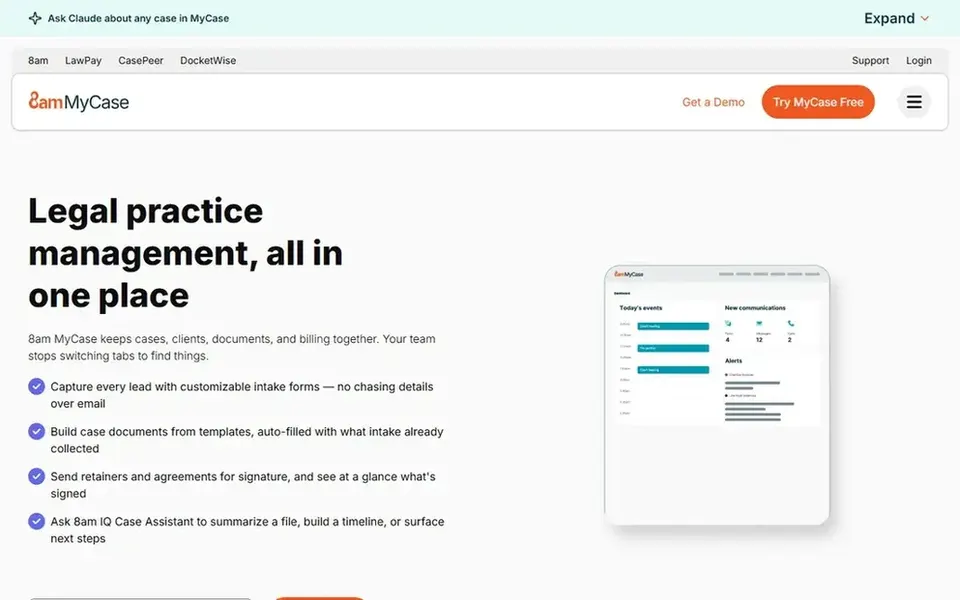
For running cases, billing, and payments together, MyCase is worth a look.
None of the 5 tools, from Smokeball to MyCase, has a free plan, so budget for a subscription or use a trial.
One limit worth knowing about Relativity: concentrated on data work, not general practice management.
Best for: Automatic time tracking and document automation
Smokeball works best for automatic time tracking and document automation. Its strengths sit in practice management and time capture instead of large-scale data review.
Businesses handling heavy eDiscovery or complicated litigation data may need a dedicated product alongside it. No starting price is listed for Smokeball here; confirm pricing on the vendor site. As for free access: Not stated.
Drawbacks to consider: Productivity focus may not handle deep eDiscovery.
Best for: Document drafting and legal workflow productivity
Litera makes the most sense for document drafting and legal workflow productivity. It fits firms and legal departments that want productivity tooling layered onto existing document and matter processes instead of a full practice management replacement.
The breadth of the offering can make it hard to know which modules you need, so map your workflows first. Litera shows no starting price here, so confirm the cost on the vendor site. Trial and free access: Not stated.
The main drawbacks: Suite breadth can complicate selection.
Filevine is designed for matter and document workflow automation. It suits businesses that want automation tied to how cases and documents move through the practice, instead of a single narrow task.
If your priority is automatic time capture or simple billing and payments, a more focused practice management tool may suit you better. Pricing for Filevine is not stated here, so ask the vendor for current figures. Trial and free access: Free trial.
Honest limits: Wide system may need configuration.
Relativity works best for AI-driven legal data review. Relativity is a legal data intelligence company whose AI product, Relativity aiR, transforms complicated data into insights and actions.
It is not a general practice management system, so businesses looking for billing, intake, and matter tracking should look elsewhere or combine tools. Worth adding: expect a specialist ramp-up time for teams new to data review systems. This comparison lists no price for Relativity; ask the vendor. As for free access: Not stated.
Best for: Running cases, billing, and payments together
MyCase is a good fit for running cases, billing, and payments together. For businesses with complicated, high-volume document or data review needs, MyCase may not go deep enough on its own.
Where it falls short: Automation depth varies by workflow.
Consider pairing it with a dedicated document or data system when those workflows dominate. Entry price for MyCase: $50 per user per month. Free plan details: Free trial.
Ask Smokeball, Litera, Filevine and Relativity for a written quote, since no starting price is shown.
Take the trial from Filevine and MyCase and push a live task through it before you pay.
Before choosing Smokeball, weigh its main limit: productivity focus may not include deep eDiscovery.
See whether Relativity offers onboarding or training, and whether it is included in the price.
Add up seats, add-ons and usage charges for Filevine before comparing it with cheaper entries.
How we picked
For each of the 5 tools we noted price, free plan or trial, fit for legal tech workflow automation tools and the main limit, using vendor pages and documentation. Where a vendor does not publish a price, the entry says quote. Where a price depends on seats or billing term, the entry says so. Position on the page reflects fit for a typical buyer first, with price clarity and free access breaking ties. Treat it as a guide, not a ruling.
Every price and plan detail on this page comes from the vendors’ own websites. We did not run hands-on tests unless the text says so, and we do not publish star ratings or review scores. See how we score and our disclosure.
Keep your shortlist in one place
Paste prices, trial dates and notes from this guide into Ainotely, our AI note app. It files them into a topic and pulls out tasks like “cancel trial by Friday”. Free 7-day trial, no card needed.
Is Smokeball the right pick for everyone comparing legal tech workflow automation tools?
No single tool suits every team. Smokeball comes first because it fits automatic time tracking and document automation, while Litera suits document drafting and legal workflow productivity and Filevine suits matter and document workflow automation. Match the tool to your own size, budget and workflow before deciding.
How are the tools for legal tech workflow automation tools ordered?
Smokeball sits first and MyCase last because the order follows typical fit for legal tech workflow automation tools, then price clarity and free access. It is a judgement call, so read each profile for fit and limits.
Do these tools publish their prices?
Not all of them. Smokeball, Litera, Filevine and Relativity publish no starting price, so expect a quote request for those. The rest, MyCase included, show a starting price, though seats and billing terms still change the final cost.
Can I try these options before paying?
Often, yes. Filevine and MyCase offer a free trial. Use your own data and a real task during the test, and check what the free tier or trial limits before you rely on it. For the full picture, the cards above cover all 5 entries of this legal tech workflow automation tools list, including price, free plan and limits.