If you need general 2D and 3D drafting with DWG, AutoCAD is the first tool to look at here. Listed starting prices: Lumion from $96 named user per month. Look at 3ds Max for in-depth 3D modeling and rendering, and at Lumion for quick live architectural rendering. All 5 tools are compared below on price, free plan and limits.
This Ainotely guide covers 5 options for Lands Design. Each profile lists a starting price, free plan details, strengths and drawbacks, so you can drop poor fits quickly.
Key takeaways
AutoCAD sits first on this list: general 2D and 3D drafting with DWG.
AutoCAD, Cinema 4D and the 3 others all need a premium plan or a trial, since no free plan is listed.
Lumion has the lowest monthly starting price in this list: $96 named user per month.
What to know about Vectorworks Landmark first: wide feature set may take time to learn.
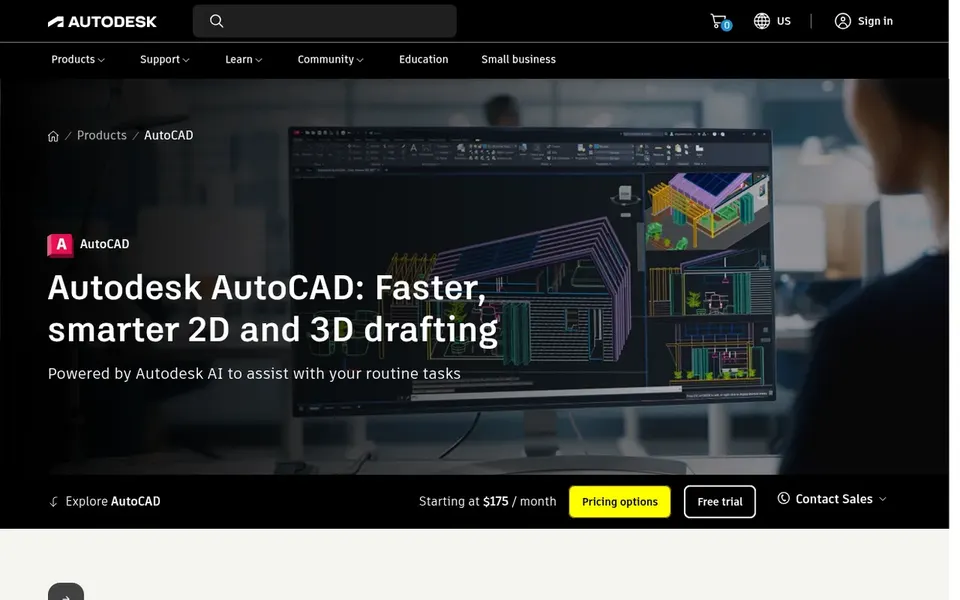
AutoCAD is a good fit for general 2D and 3D drafting with DWG. AutoCAD is Autodesk's drafting system for 2D and 3D design, with shared DWG collaboration across desktop and web.
Limits to weigh: Not landscape-specific.
Pick a landscape-focused product if you want those features built in. AutoCAD shows no starting price here, so confirm the cost on the vendor site. Free options: Not stated.
3ds Max is aimed squarely at in-depth 3D modeling and rendering. 3ds Max is Autodesk's professional 3D modeling, animation, and rendering application.
If you need an all-in-one landscape workflow, look to Vectorworks Landmark instead. This comparison lists no price for 3ds Max; ask the vendor. Trial and free access: Not stated.
Where it is weaker: Complicated interface for beginners.
Lumion makes the most sense for quick real-time architectural rendering. Lumion does not build design geometry or documentation itself, so it relies on models from other tools.
Where it is weaker: Needs models from other software.
From a buyer's view, choose it as a visualization layer instead of a replacement for a landscape design product. On cost, Lumion starts like this: $96 named user per month. As for free access: Free trial.
Best for: All-in-one landscape design and documentation
Think of Vectorworks Landmark for all-in-one landscape design and documentation. Choose something else if your priority is rendering output or animation instead of design documentation.
Check the vendor site for Vectorworks Landmark pricing; none is listed in this comparison. On free options: Not stated.
Where it falls short: Wide feature set may take time to learn.
For motion graphics and visualization, Cinema 4D is a natural candidate. Landscape studios can use it to build presentation imagery and animated walkthroughs of site concepts, pairing it with a drafting or BIM tool for the technical work.
The main drawbacks: Needs separate design tools.
No starting price is listed for Cinema 4D here; confirm pricing on the vendor site. Free options: Not stated.
Ask AutoCAD, 3ds Max, Vectorworks Landmark and Cinema 4D for a written quote, since no starting price is shown.
Take the trial from Lumion and push a live task through it before you pay.
Read the limits listed for AutoCAD first: not landscape-specific.
A short pilot of Lumion with your real workflow tells you more than a feature table.
Check the support hours and onboarding help Vectorworks Landmark offers; smaller vendors vary a lot here.
How we picked
Pricing pages, product documentation and feature lists were the main sources, and every entry carries at least one honest drawback. Where a vendor does not publish a price, the entry says quote. Where a price depends on seats or billing term, the entry says so. Tools are placed by general fit for Lands Design, with price clarity and free access as tie-breakers. A different team can reasonably rank them differently.
Every price and plan detail on this page comes from the vendors’ own websites. We did not run hands-on tests unless the text says so, and we do not publish star ratings or review scores. See how we score and our disclosure.
Keep your shortlist in one place
Paste prices, trial dates and notes from this guide into Ainotely, our AI note app. It files them into a topic and pulls out tasks like “cancel trial by Friday”. Free 7-day trial, no card needed.
Often, yes. Lumion offers a free trial. Use your own data and a real task during the test, and check what the free tier or trial limits before you rely on it. Pricing, free plan details and limits for all 5 tools in this Lands Design alternatives roundup sit on the individual cards above.
Do I need a separate rendering tool?
If your design system does not contain capable visualization, tools for example Lumion, 3ds Max, or Cinema 4D can produce presentation images and animations from exported models.
How are the tools for Lands Design ordered?
AutoCAD sits first and Cinema 4D last because the order follows typical fit for Lands Design, then price clarity and free access. It is a judgement call, so read each profile for fit and limits.
What is the cheapest option for Lands Design in this list?
On published monthly entry prices, Lumion is the lowest here at $96 named user per month. Entry price is only part of the cost, because seats, add-ons and billing terms can change the total. The 5 tool cards above repeat this per product for Lands Design alternatives, with the listed price or "pricing on request".
Is AutoCAD the right pick for everyone comparing Lands Design?
No single tool suits every team. AutoCAD comes first because it fits general 2D and 3D drafting with DWG, while 3ds Max suits detailed 3D modeling and rendering and Lumion suits fast real-time architectural rendering. Match the tool to your own size, budget and workflow before deciding.