This list puts KeyShot first for live product visualization and collaboration. Listed starting prices: KeyShot from $7.92 a month. If your case is different, V-Ray suits Photorealistic rendering inside design products and OctaneRender suits GPU-accelerated unbiased rendering. The full list of 6 tools follows, with prices and free plan facts.
If you are comparing fast rendering software, this page covers 6 tools in one place: what each is best for, what it costs to start, whether it has a free plan, and the main limit to know about.
Key takeaways
KeyShot sits first on this list: live product visualization and collaboration.
The cheapest monthly starting price in the list is $7.92 per month, offered by KeyShot.
V-Ray comes with a trade-off: plugin setup differs by host.
A permanent free plan is missing from all 6 tools, KeyShot and Arnold included; plan for a trial or a premium start.
For predictable Monte Carlo ray tracing, Arnold is worth a look.
Best for: Live product visualization and collaboration
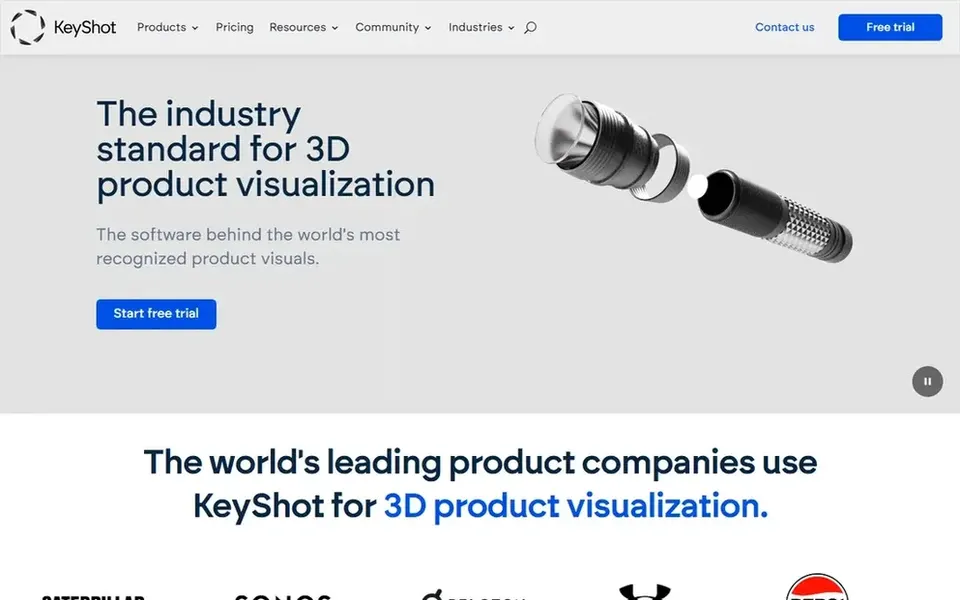
Think of KeyShot for live product visualization and collaboration. The workflow is oriented toward materials, lighting and presentation instead of general-purpose animation. Also, KeyShot is 3D rendering and AI visualization software built around live rendering technology for product design businesses.
Drawbacks to consider: Less suited to complicated animation pipelines.
Its homepage emphasizes collaboration from concept to product launch, which suits industrial designers and marketing teams who require quick, attractive product visuals and fast iterations. KeyShot is tuned for product visualization, so studios doing heavy character animation or complicated VFX may find it limiting compared to a full production renderer. Its focused toolset also means fewer choices for highly technical rendering setups. Price to start with KeyShot: $7.92 per month. Free access: Free trial.
Best for: Photorealistic rendering inside design systems
V-Ray makes the most sense for Photorealistic rendering inside design systems. V-Ray from Chaos is a 3D rendering plugin available for widely used design systems for example 3ds Max, SketchUp, Rhino, Maya, Blender and more. That breadth makes it a practical choice for archviz and product studios that work across several tools but want consistent, photorealistic results.
Where it is weaker: Plugin setup differs by host.
In practice, chasing maximum photorealism can also extend render times compared to more straightforward engines. Since V-Ray is a plugin, installation and feature availability vary by host application, so users should check the specifics for their product. V-Ray shows no starting price here, so confirm the cost on the vendor site. Trial and free access: Not stated.
OctaneRender is designed for GPU-accelerated unbiased rendering. Look elsewhere if you need CPU-based rendering or a single integrated modeling and rendering package. OctaneRender from OTOY is described as a GPU-accelerated, unbiased, physically correct renderer.
Watch-outs: GPU memory limits large scenes.
It is recognised for quick interactive feedback and is widely used with artists who want photorealistic results rapidly on GPU hardware. It is also generally used alongside a host application instead of as a standalone modeling suite. OctaneRender shows no starting price here, so confirm the cost on the vendor site. Free plan details: Not stated.
Best for: Motion designers wanting speed and simplicity
For motion designers wanting speed and simplicity, Cinema 4D is a natural candidate. Complicated simulations and very large scenes can also strain modest hardware.
Watch-outs: Heavy scenes still demand capable hardware.
Pick something else if your pipeline is built entirely around another host application or you need specialized production rendering from the start. Cinema 4D shows no starting price here, so confirm the cost on the vendor site. Free access: Not stated.
Best for: Integrated modeling, animation and rendering
Pick 3ds Max if this describes you: integrated modeling, animation and rendering. It merges modeling, animation and rendering in one application, which fits archviz, game and design studios that want an integrated pipeline.
Trade-offs to know: Windows-only product.
It also serves as a typical host for external renderers like V-Ray and Arnold. In practice, rendering speed relies on the engine you choose within it. Pricing for 3ds Max is not stated here, so ask the vendor for current figures. On free options: Not stated.
Choose Arnold for predictable Monte Carlo ray tracing. Autodesk Arnold is an advanced Monte Carlo ray tracing renderer designed for predictable results. It is widely used in animation and VFX pipelines where consistent, physically based output matters more than raw interactive speed.
What to check first: Can be slower than GPU-first engines.
As for the details, Ray tracing of this kind can take longer than GPU-first engines, particularly on heavy scenes, and fine-tuning settings can be technical. It is also usually used within a host application instead of as a standalone modeling tool. Pricing for Arnold is not stated here, so ask the vendor for current figures. Free access: Not stated.
Get a written quote from V-Ray, OctaneRender, Cinema 4D and others; the list shows no starting price for them.
Use real work to test the free trial from KeyShot, rather than a demo project.
Read the limits listed for KeyShot first: less suited to complicated animation pipelines.
Look at the help docs and support options for V-Ray before you commit.
Ask whether KeyShot integrates with your current software, and whether that comes standard or as an add-on.
How we picked
Ainotely looked at what each vendor publishes: pricing, plan limits, feature coverage for fast rendering software and stated drawbacks. No hands-on testing is claimed. Figures are shown as the vendors publish them. Billing terms, seat minimums and add-ons can change the real cost. The sequence is a judgement call: typical use case first, then pricing transparency, then free access. Use the profiles to check fit.
Every price and plan detail on this page comes from the vendors’ own websites. We did not run hands-on tests unless the text says so, and we do not publish star ratings or review scores. See how we score and our disclosure.
Keep your shortlist in one place
Paste prices, trial dates and notes from this guide into Ainotely, our AI note app. It files them into a topic and pulls out tasks like “cancel trial by Friday”. Free 7-day trial, no card needed.
Does any tool for fast rendering software here have a free plan?
No tool in this list, KeyShot and Arnold included, has a permanent free plan. KeyShot offer a trial. Trials and quotes are the usual route, so plan a short evaluation period.
Can I try these options before paying?
Often, yes. KeyShot offers a free trial. Use your own data and a real task during the test, and check what the free tier or trial limits before you rely on it. The 6 tool cards above repeat this per product for fast Rendering software, with the listed price or "pricing on request".
How are the tools for fast rendering software ordered?
KeyShot sits first and Arnold last because the order follows typical fit for fast rendering software, then price clarity and free access. It is a judgement call, so read each profile for fit and limits.
Is KeyShot the right pick for everyone comparing fast rendering software?
No single tool suits every team. KeyShot comes first because it fits real-time product visualization and collaboration, while V-Ray suits Photorealistic rendering inside design platforms and OctaneRender suits GPU-accelerated unbiased rendering. Match the tool to your own size, budget and workflow before deciding.